
 WhatsApp: +86 16626708626
 Email:
  Phone: +86 16626708626
Description
Key Technical Specifications
| Parameter | Value |
|---|---|
| Product Type | Digital AC Input Module |
| Catalog Number | 1746-IA16 |
| Product Family | SLC 500 |
| Number of Inputs | 16 |
| Input Voltage | 85–132 VAC |
| Nominal Input Voltage | 100/120 VAC |
| Input Frequency | 47–63 Hz |
| Points per Common | 16 |
| Backplane Current | 85 mA @ 5 VDC |
| Input Delay | ON: 35 ms, OFF: 45 ms |
| Isolation | 500 VDC (communication circuits) |
| Product Status | Discontinued (November 24, 2022) |
The 1746-IA16 is a 16-point AC digital input module for SLC 500 programmable controllers. It accepts standard 100/120 VAC field signals and provides isolated input monitoring for industrial automation systems. Rockwell Automation discontinued this module on November 24, 2022 as an Engineering Replacement product.
Product Introduction
The Allen-Bradley 1746-IA16 is designed to interface 100/120 VAC field devices with SLC 500 PLC systems. Typical input devices include selector switches, push buttons, relay contacts, limit switches, and auxiliary contacts operating on AC control voltage. The module occupies one slot in a 1746 chassis and communicates through the SLC backplane.
Unlike relay or analog modules, the 1746-IA16 is dedicated to sensing discrete AC input states. It is widely used in manufacturing lines, water treatment facilities, packaging equipment, and material handling systems that continue to operate legacy SLC 500 controllers. For existing installations, replacing only the failed input module is often more practical than migrating the complete control system.
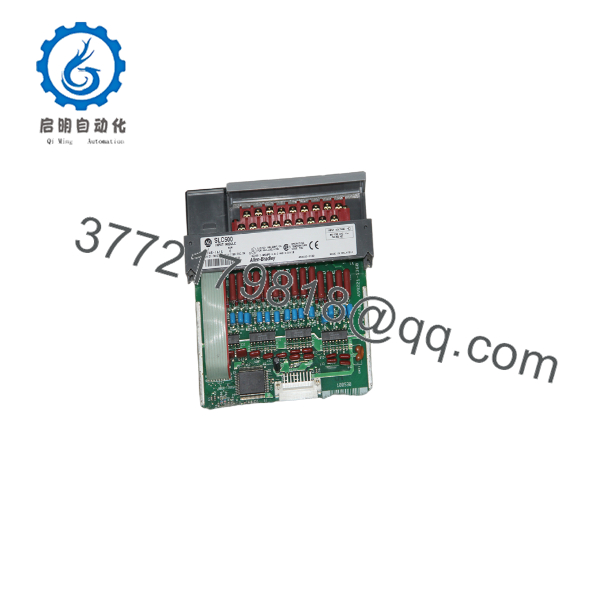
1746-IA16
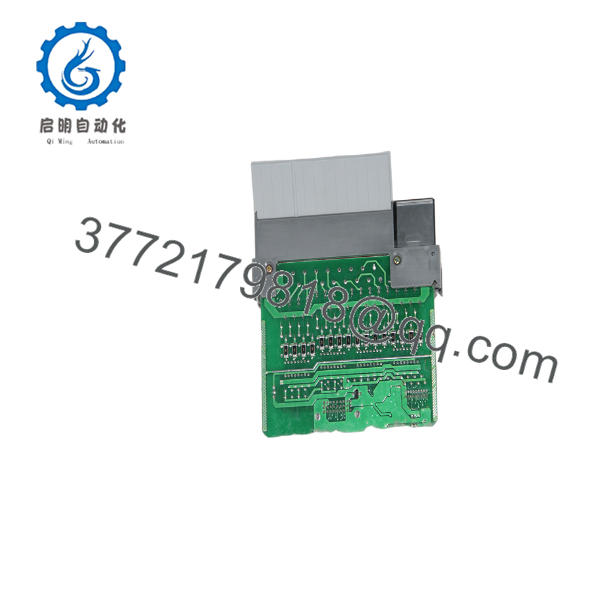
1746-IA16
Installation & Configuration Guide
Stage 1 – Pre-Installation Preparation (10 Minutes)
⚠️ Safety First
- Notify operations of the planned shutdown.
- Perform Lockout/Tagout procedures.
- Remove system power and wait at least five minutes.
- Verify the AC control circuit is de-energized using a calibrated multimeter.
Required Tools
- ESD wrist strap
- Phillips screwdriver
- Digital multimeter
- Wire labels
- RSLogix 500 programming software
Before Removal
- Upload and save the PLC program.
- Record the module slot number.
- Photograph terminal wiring.
- Label every field conductor.
Stage 2 – Remove the Existing Module (10 Minutes)
- Disconnect all field wiring.
- Remove the removable terminal block if installed.
- Release the module locking tabs.
- Pull the module straight out of the chassis.
- Inspect the backplane connector for bent pins, dust, or oxidation.
⚠️ Keep the original module until the replacement has been fully tested.
Stage 3 – Install the New Module (10 Minutes)
- Verify the replacement part number is 1746-IA16.
- Wear an ESD wrist strap.
- Insert the module completely into the chassis.
- Reconnect the field wiring according to the wiring diagram.
- Secure the terminal screws to the specified torque.
Installation Checklist
- ✅ Correct catalog number
- ✅ Input voltage verified
- ✅ Terminal wiring checked
- ✅ Module fully seated
- ✅ Protective grounding confirmed
Stage 4 – Power-Up & Testing (10 Minutes)
- Restore chassis power.
- Verify the processor enters RUN mode.
- Monitor the input LEDs while operating each field device.
- Confirm the corresponding PLC input bits change state.
- Test every connected input before returning the machine to production.
⚠️ If all inputs remain OFF, first verify the field voltage is between 85 and 132 VAC and check the common wiring before replacing the module. Incorrect field wiring is more common than module failure.
Frequently Asked Questions
Can the 1746-IA16 accept 24 VDC signals?
No. The module is designed specifically for 85–132 VAC digital input signals. Applying DC voltage will not provide proper operation and may lead to incorrect input status.
Is the 1746- still manufactured?
No. Rockwell Automation discontinued the on November 24, 2022. Most available inventory consists of new surplus or professionally tested refurbished units.
Does replacing this module affect my PLC program?
No. The PLC application resides in the SLC processor. Replacing the input module does not erase or modify the controller program.
Why do the inputs not respond after replacement?
The most common causes are:
- Incorrect AC supply voltage
- Open common wiring
- Loose terminal connections
- Incorrect field device wiring
- Blown control fuse
In field service, wiring issues are encountered more frequently than defective input modules.
Can I hot-swap the 1746-?
No. The SLC 500 platform does not support hot swapping for this module. Always remove system power before installing or removing the module to avoid damage to the backplane or I/O hardware.
What should I verify before ordering?
Confirm the following:
- Exact catalog number ()
- Required input voltage (100/120 VAC)
- Available chassis slot
- Terminal block compatibility
- Existing SLC 500 processor and chassis model
Verifying these items before purchase helps prevent installation delays and unnecessary production downtime.



