
 WhatsApp: +86 16626708626
 Email:
  Phone: +86 16626708626
Description
Key Technical Specifications
| Parameter | Specification Value |
| Catalog Number | 1747-ASB |
| Communication Protocol | Allen-Bradley Remote I/O (RIO) Serial Network |
| Baud Rates Supported | 57.6 kbps, 115.2 kbps, 230.4 kbps (DIP Switch Selectable) |
| Backplane Current (5V DC) | 375 mA |
| Backplane Current (24V DC) | 0 mA |
| Max Capacity per Adapter | Up to 3 chassis (maximum 30 slots total) |
| Network Addressing | Rack 00 to 76 (Octal), Starting Group 0, 2, 4, or 6 |
| Logical Rack Sizes Supported | 1/4 Rack, 1/2 Rack, 3/4 Rack, Full Rack |
| Isolation Rating | 500 V DC for 1 minute (RIO Network to Backplane) |
| Operating Temperature | 0°C to +60°C (32°F to 140°F) |
| Status Indicators | RUN, LINE BAD, MODULE FAULT, CPU FAULT LEDs |
Product Introduction & Supply Chain Strategy
This product is a Brand New Surplus unit. It is not used, not pulled from a decommissioned plant, and not refurbished. All modules undergo rigorous quality verification to ensure OEM-level reliability. The Allen-Bradley 1747-ASB is a Remote I/O (RIO) adapter module that mounts in Slot 0 of an SLC 500 chassis, serving as a high-speed communication link that connects local chassis I/O modules directly back to a master scanner card (such as a 1747-SN, 1756-RIO, or PLC-5 processor) over a blue-hose network cable.
Because Rockwell Automation has moved the entire SLC 500 product line to active-discontinued status, securing the 1747-ASB as New Surplus is a high-ROI strategy to minimize Total Cost of Ownership (TCO) and eliminate supply-chain bottlenecks. Refurbished RIO adapters frequently suffer from degraded pulse transformers and fragile onboard DIP switches, causing intermittent “LINE BAD” drops that freeze field actuators. Purchasing fresh surplus inventory guarantees a 10-15 year operating lifespan, protects against EOL stock-outs, and keeps critical legacy network drops operating without requiring a multi-million-dollar control system overhaul.
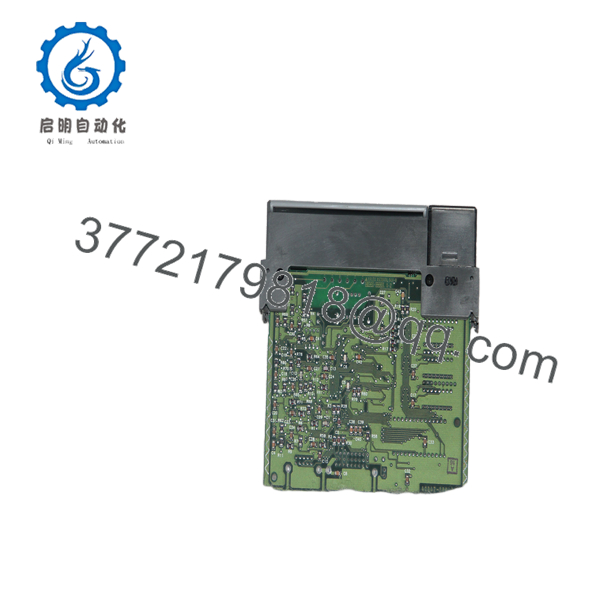
1747-ASB
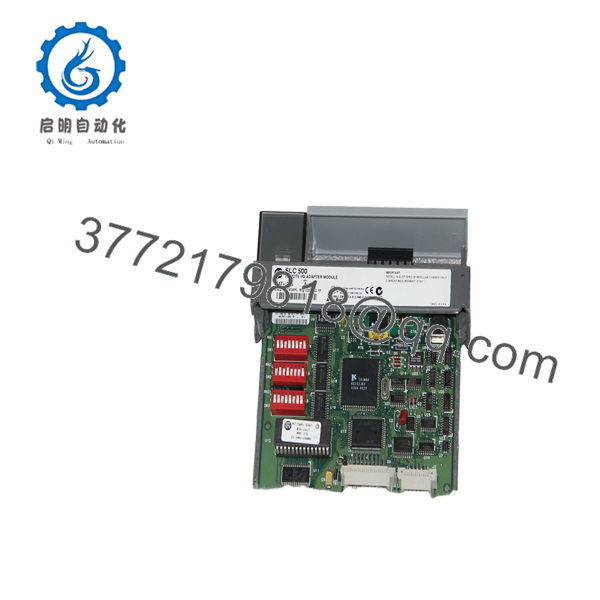
1747-ASB
Installation & Configuration Guide
1.Stage 1: Pre-Installation (Prep & Safety):Perform safety locks and record hardware DIP switch positions.
- Execute strict Lock-Out/Tag-Out (LOTO) protocols on the target SLC 500 chassis power supply.
- Strap on a grounded Electrostatic Discharge (ESD) wrist strap attached to unpainted cabinet steel.
- Photograph the 3 onboard DIP switch banks (SW1, SW2, SW3) on the old 1747-ASB card to capture baud rate, starting rack address, primary/complementary rack modes, and hold-last-state options.
2.Stage 2: Removal:Safely extract the module without damaging backplane bus connectors.
- Label and detach the 3-pin phoenix connector carrying the RIO network cable (Blue, Shield, Clear).
- Depress the top and bottom release latches on the 1747-ASB module casing.
- Slide the module straight out of Slot 0 horizontally to avoid bending or cracking the backplane connector pins.
3.Stage 3: Installation (Clone & Seat):Replicate DIP switch settings and seat the replacement unit.
- Set DIP switches SW1, SW2, and SW3 on the new 1747-ASB card to mirror the legacy unit’s configuration precisely.
- Align the board with card guides in Slot 0 (leftmost position next to the power supply).
- Press the module firmly into the chassis backplane until the retention latches snap securely into place.
- Re-attach the 3-pin RIO network terminal block.
4.Stage 4: Power-On & Testing:Power up and verify RIO handshake and LED indicators.
- Restore power to the SLC 500 chassis power supply.
- Observe the status LEDs: the green RUN LED should illuminate solid, while LINE BAD and MODULE FAULT should remain off.
- Verify that the main PLC scanner clears its network fault code and resumes active cyclic I/O data transfers to the remote rack.
Firmware/Software Versions & Upgrade Notes
- Hardware Series Compatibility: The 1747-ASB was produced across Series A, B, C, and D. Series B and later added support for advanced 1746 discrete and specialty analog cards. When replacing a Series B, C, or D module, avoid downgrading to Series A, as legacy Series A hardware lacks the firmware addressing capability required for complex analog I/O configurations.
- DIP Switch Settings vs. Software Config: The 1747-ASB relies entirely on physical hardware DIP switches (SW1, SW2, SW3) for node addressing, baud rate (57.6k, 115.2k, 230.4k), and rack sizing. If DIP switch settings on the replacement module do not match the master scanner’s G-File software configuration (e.g., RSLogix 500 / RSLogix 5000 scanlist), the module will reject communication and generate a scanner rack fault.
- Firmware Mismatch Risks: Firmware updates on the 1747-ASB are burned via physical PROM/EPROM chips. Replacing a unit requires no online software downloads, but swapping socketed chips across different board revisions carries an ESD risk and can brick the module if pin alignments are wrong.
Frequently Asked Questions (FAQ)
Why is this New Surplus unit priced lower than OEM list but higher than refurbished options?
Our pricing matches the true value of securing original, un-used OEM inventory from canceled engineering projects and global plant reserves. Refurbished units carry low price tags because they rely on re-soldered components and stressed IC chips that have undergone thousands of thermal cycles. New Surplus provides original factory reliability without the extreme lead times or inflated prices of legacy OEM list orders.
Are these 1747-ASB modules genuinely new?
Yes. Every unit is genuine Allen-Bradley stock, completely unused, with zero backplane contact wear, zero terminal wear, and clean factory solder joints. Items are stored in ESD packaging and opened only inside certified static-controlled cleanrooms for physical inspection and automated test-rack validation before shipment.
Can I install the 1747-ASB in any slot of the SLC 500 chassis?
No. The 1747-ASB acts as the local chassis controller and MUST be installed in Slot 0 (the far-left slot directly adjacent to the power supply). Installing the adapter in any other I/O slot will prevent the module from addressing the backplane bus and will cause a system fault.
What causes the “LINE BAD” LED to light up red on the front panel?
A solid or flashing “LINE BAD” LED indicates a physical layer or protocol mismatch on the Remote I/O network. Common causes include mismatched DIP switch baud rates between the scanner and 1747-ASB, incorrect termination resistor values (150 ohm vs. 82 ohm depending on baud rate), reversed wiring on the blue/clear conductors, or high electrical noise coupling onto the blue-hose cable.
What warranty coverage do you offer on this New Surplus card?
We back this unit with a comprehensive 1-Year or 2-Year replacement warranty (depending on your service tier). In the event of any hardware defect during normal operational use, we immediately dispatch a replacement unit from our dedicated strategic buffer stock.



