
 WhatsApp: +86 16626708626
 Email:
  Phone: +86 16626708626
Description
3. Key Technical Specifications
| Parameter | Specification Value |
|---|---|
| Catalog Part Number | 1788-MCHKR |
| Manufacturer | Allen-Bradley (Rockwell Automation) |
| Network Compatibility | DeviceNet Thick, Thin, and Flat Physical Layer Media |
| Primary Functions | Wire mapping, cable length determination, continuity, short/open detection |
| Measurement Technique | Time Domain Reflectometry (TDR) for distance-to-fault determination |
| Display Type | Backlit LCD diagnostic text display |
| Power Source | Standard 9V DC battery (alkaline or industrial rechargeable) |
| Connection Interface | Standard 5-pin open-style / Sealed Micro-style connector interfaces |
| Operating Temperature | 0°C to +50°C (32°F to 122°F) |
| Storage Temperature | −20°C to +60°C (−4°F to 140°F) |
4. Product Introduction & Supply Chain Strategy
The Allen-Bradley 1788-MCHKR MediaChecker is a portable, handheld diagnostic tool engineered specifically to verify and troubleshoot the physical layer of DeviceNet industrial networks. By testing wire mapping, resistance, power pin polarity, and cable distance via Time Domain Reflectometry (TDR), the 1788-MCHKR allows instrumentation technicians to locate broken trunk lines, pinched drop cables, and missing 121-ohm terminating resistors without taking down the entire control architecture.
This product is a Brand New Surplus unit. It is not used, not pulled from a decommissioned plant, and not refurbished. All diagnostic meters undergo full function verification to guarantee OEM-level calibration accuracy.
Securing the 1788-MCHKR as New Surplus provides maintenance crews with essential diagnostic capabilities on legacy DeviceNet networks. Attempting to troubleshoot DeviceNet physical media issues using generic digital multimeters leads to misdiagnosed faults, unlocated signal reflections, and hours of unnecessary downtime. Sourcing verified New Surplus unit guarantees full test functionality while bypassing long manufacturer lead times on legacy test gear.
5. Installation & Configuration Guide
Stage 1: Pre-Testing (Prep & Safety)
- Disconnect network power from the target DeviceNet segment under test before attaching the MediaChecker to avoid electrical overload.
- Ensure a fresh 9V battery is installed in the rear battery compartment of the 1788-MCHKR.
- Power on the device using the main dial/power button and confirm the LCD screen initialization sequence.
- Select the correct cable type profile on the tester interface (Thick, Thin, or Flat DeviceNet cable).
Stage 2: Wire Map & Continuity Testing
- Attach the main 1788-MCHKR unit to one end of the target cable segment using the appropriate 5-pin terminal or Micro connector.
- Connect the included remote terminator/terminating plug to the far end of the cable run.
- Select
WIRE MAPmode and initiate the scan cycle. - Review results on the LCD display: verify all 5 conductors (V+, V-, CAN_H, CAN_L, Drain/Shield) indicate correct end-to-end pin continuity.
Stage 3: Fault Distance & TDR Testing
- Switch the main control dial to
LENGTHorTESTmode. - Select the specific conductor pair to measure (e.g., signal pair CAN_H / CAN_L).
- The TDR circuit transmits pulses along the cable to identify impedance drops; read the exact distance-to-fault (in feet or meters) indicated on the screen.
- Walk the physical cable path to the identified distance marker to locate physical kinks, severed insulation, or damaged drop taps.
Stage 4: Post-Testing & Network Restoration
- Disconnect the 1788-MCHKR and remote plug from the network media.
- Re-install required 121-ohm line termination resistors at the physical ends of the DeviceNet trunk line.
- Re-apply 24V DC network power to the DeviceNet power supply and verify node communication status LEDs across the network.
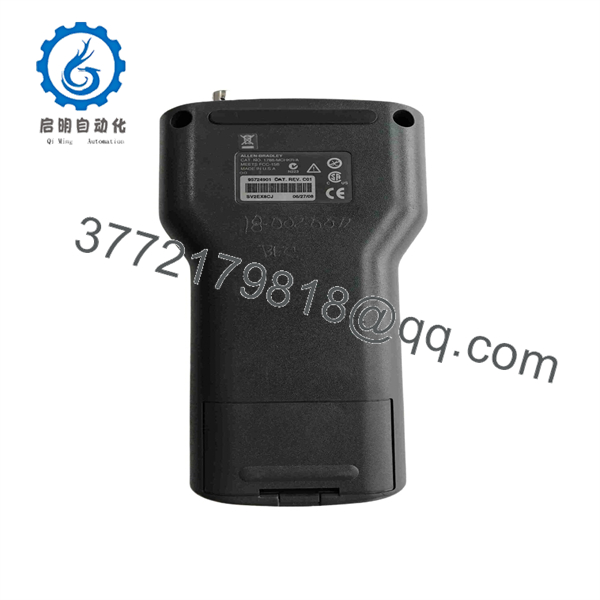
1788-MCHKR
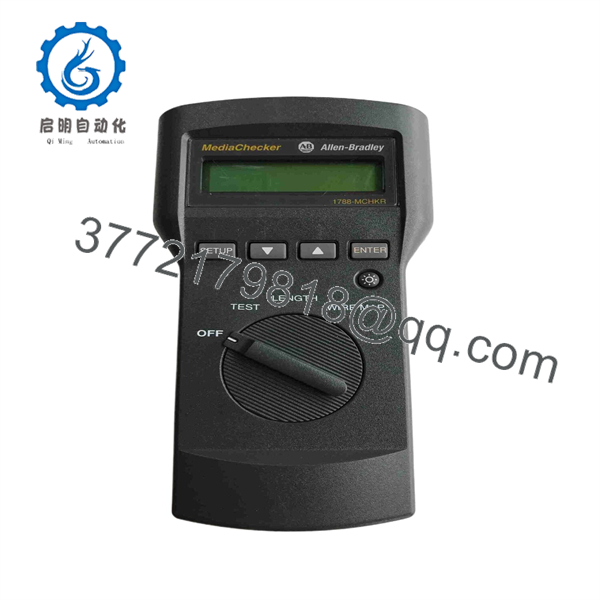
1788-MCHKR
6. Firmware/Software Versions & Upgrade Notes
The 1788-MCHKR operates as a standalone physical-layer hardware test instrument.
- Standalone Operation: Does not require Studio 5000, RSNetWorx for DeviceNet, or PC software connection to perform cable testing and length analysis.
- Termination Verification: Ensures correct network impedance by detecting the presence or absence of the mandatory pair of 121-ohm terminating resistors (one at each end of the trunk line, yielding ~60 ohms parallel resistance).
- Network Migration: While modern architectures utilize EtherNet/IP (using tools like 1756-EN2T), the 1788-MCHKR remains an indispensable maintenance tool for facilities running legacy DeviceNet sensor grids and motor control centers (MCCs).
7. Frequently Asked Questions (FAQ)
Q: Is this 1788-MCHKR unit brand new or used instrument stock?
A: This product is a Brand New Surplus unit. It is not used, not pulled from a decommissioned plant, and not refurbished. All diagnostic meters undergo full function verification to guarantee OEM-level calibration accuracy.
Q: Can I use the 1788-MCHKR while 24V DC DeviceNet network power is active?
A: It is strongly recommended to turn off network power before performing cable continuity and TDR tests to prevent measurement errors and protect internal meter sensing circuitry.
Q: Does the 1788-MCHKR locate broken wires inside a long cable conduit?
A: Yes. Utilizing built-in Time Domain Reflectometry (TDR), the unit measures signal propagation speed and reports the precise distance (in feet or meters) from the meter to the point of a wire break or open circuit.
Q: Does this meter test standard Ethernet or ControlNet cabling?
A: No. The 1788-MCHKR is specifically calibrated for 5-wire DeviceNet physical media (CAN-based signal timing and impedance specifications). For Ethernet testing, separate RJ45 industrial cable certifiers are required.
Q: What warranty applies to this New Surplus diagnostic tool?
A: We back this instrument with a full 1-year functional replacement warranty from the date of shipment, providing full operational confidence for your field service team.



