
 WhatsApp: +86 16626708626
 Email:
  Phone: +86 16626708626
Description
Key Technical Specifications
| Parameter | Value / Specification |
| Manufacturer | Cisco Systems |
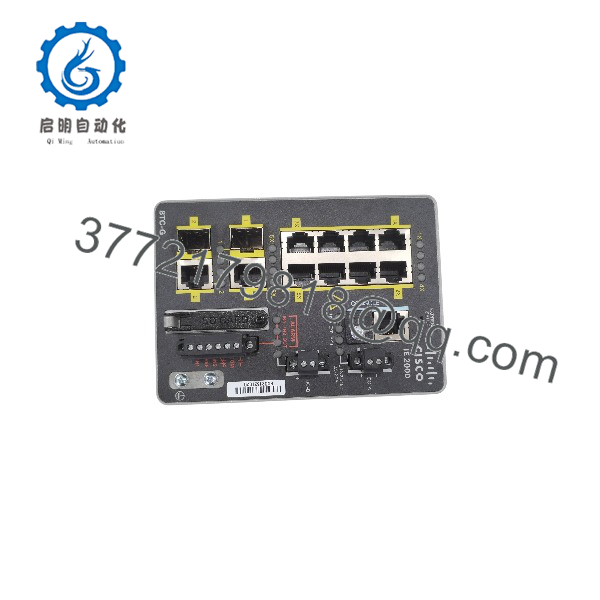
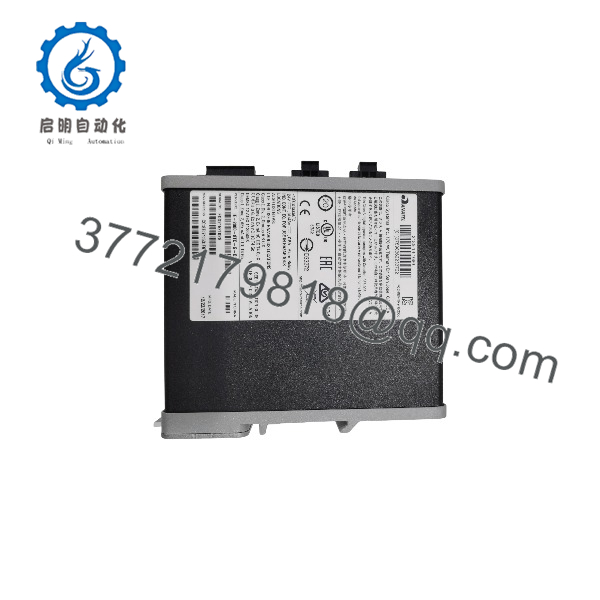
| Model Designation | IE-2000-8TC-G-B |
| Total Ports | 10 Ports (8 Fast Ethernet Access + 2 Combo Gigabit Uplinks) |
| Access Ports | 8 x 10/100Base-T Fast Ethernet RJ45 |
| Uplink Ports | 2 x Combo (10/100/1000Base-T RJ45 or 100/1000 SFP Slot) |
| Software Image | LAN Base Feature Set (Layer 2 Switching, Security, QoS, REP) |
| Console Port | Mini-USB + RJ45 Serial Console Port |
| Power Input | Dual Redundant 12 to 48 VDC Terminal Block Inputs |
| Mounting Style | Integrated DIN-Rail Mount |
| Operating Temperature | −40 °C to +70 °C (−40 °F to 158 °F) |
| Enclosure Rating | IP30 Ruggedized Compact Metal Chassis |
| Resilience Protocols | Resilient Ethernet Protocol (REP), EtherChannel, Flex Links, Spanning Tree (STP/RSTP/MSTP) |
Product Introduction & Supply Chain Strategy
The Cisco IE-2000-8TC-G-B is a ruggedized, managed Layer 2 industrial switch designed for harsh automation environments, electrical substations, transportation systems, and process manufacturing plants. Featuring 8 Fast Ethernet access ports and 2 dual-purpose Gigabit uplink ports, it delivers enterprise-grade Cisco IOS switching, security, and advanced ring recovery protocols (such as Cisco REP) to field-level networks.
Maintaining a New Surplus Cisco IE-2000-8TC-G-B switch in your local spare parts reserve is a critical operational safeguard. Unexpected network switch failures in industrial environments can sever SCADA visibility, isolate PLC drops, and cause total line shutdowns. Sourcing genuine New Surplus guarantees unaged power supplies, pristine SFP cage contacts, and untouched internal storage flash—preventing port degradation, memory corruption, and boot failures associated with heavily used or refurbished field network gear.
IE-2000-8TC-G-B
IE-2000-8TC-G-B
Installation & Configuration Guide
Stage 1: Pre-Installation (Prep & Safety)
- Isolate the dual 12–48 VDC power feeds supplying the enclosure and follow standard Lock-Out/Tag-Out (LOTO) safety protocols.
- Ensure you have an anti-static wrist strap grounded to the panel chassis before handling the switch or inserting SFP transceivers.
- Prepare a terminal emulation session (9600 baud, 8 data bits, no parity, 1 stop bit) via the RJ45 or Mini-USB console port for initial startup verification.
Stage 2: Removal
- Unplug the dual DC power terminal block from the top panel of the switch.
- Disconnect all Ethernet RJ45 patch cables and unlock/remove any optical SFP transceivers from the uplink ports (labeling all cable runs clearly).
- Pull down on the bottom DIN-rail latch using a flat-head screwdriver, tilt the chassis upward, and lift it off the 35 mm DIN rail. Place the unit into static-shielding packaging.
Stage 3: Installation (Clone & Seat)
- Unpack the new Cisco IE-2000-8TC-G-B from its static-shielded packaging.
- Hook the upper DIN-rail bracket onto the 35 mm rail and push the lower section inward until the spring-loaded latch snaps securely onto the rail.
- Insert SFP transceivers into the combo uplink ports (if optical uplinks are used) and reconnect all RJ45 Ethernet field lines.
- Reattach the pre-wired dual DC power terminal block.
Stage 4: Power-On & Testing
- Re-apply DC operating power. Verify that the PWR1 and PWR2 LEDs on the front panel illuminate solid green.
- Monitor the system boot cycle: confirm the SYS LED transitions from blinking green to solid green, signaling a successful Cisco IOS load.
- Check port link/activity status LEDs on active access and uplink ports. Verify network topology convergence via CLI (
show ip interface brief,show rep topology).
Firmware/Software Versions & Upgrade Notes
- Software Image: The “-B” suffix indicates the LAN Base software license, providing advanced Layer 2 switching, IEEE 1588v2 PTP precision timing support, Storm Control, and Cisco REP (Resilient Ethernet Protocol).
- Config Copy & Backup: The switch supports a removable SD flash memory card (Express Setup). Replacing an existing unit with an identical SD card allows automatic configuration loading without manual CLI entry.
- Firmware Flashing: Ensure replacement switches are updated to match your plant’s standardized Cisco IOS release (e.g., 15.2(x)EB series) prior to deployment to preserve network feature parity.
- Hot-Swapping Warning: While Ethernet cables and SFP transceivers can be safely swapped during operation, always power off the DC terminal block before mounting or servicing internal wiring to prevent electrical arcs.
Frequently Asked Questions (FAQ)
Q: How can I verify that this Cisco IE-2000-8TC-G-B switch is 100% Brand New Surplus?
A: Every unit we supply is 100% Brand New Surplus. It comes in clean, original Cisco factory packaging, complete with untouched terminal block connectors, pristine and SFP port contacts, unblemished IP30 chassis paint, intact serial labels, and factory documentation. It has never seen panel installation or field service.
Q: What is the main difference between LAN Lite and LAN Base feature sets on the IE 2000 series?
A: The LAN Base version (designated by the “-B” suffix) includes advanced Layer 2 security, Quality of Service (QoS), Resilient Ethernet Protocol (REP), IEEE 1588v2 timing, and enhanced management functions, whereas LAN Lite offers a scaled-down feature set for basic connectivity.
Q: What does the “Combo” designation on the uplink ports mean?
A: The 2 combo uplink ports give you the option to use either standard 10/100/1000Base-T copper connections OR fiber optic SFP transceivers (100M or 1000M). Active copper ports disable their corresponding SFP slot automatically, and vice versa.
Q: Does this switch support Power over Ethernet (PoE)?
A: No. The IE-2000-8TC-G-B is a standard managed Layer 2 switch without PoE output capabilities. If your application requires PoE for IP cameras or wireless access points, a PoE-enabled model (e.g., IE-2000-8T67P or similar PoE variants) is required.
Q: Does this unit operate in extreme ambient temperatures?
A: Yes. As part of Cisco’s Industrial Ethernet portfolio, the switch is fully rated for extended operating temperatures from −40 °C to +70 °C (−40 °F to 158 °F).
Q: What warranty coverage comes with this switch?
A: We support this Cisco IE-2000-8TC-G-B industrial switch with a comprehensive 1-Year Warranty. Every unit undergoes complete physical inspection, power-on verification, and diagnostic testing prior to shipment.



