
 WhatsApp: +86 16626708626
 Email:
  Phone: +86 16626708626
Description
Key Technical Specifications
| Parameter | Specification |
|---|---|
| Manufacturer | Eaton |
| Model | MPB1-TP |
| Alternate catalog designation | COM-MPB1-TP |
| Product category | Communication module / serial interface card |
| Compatible platform | Eaton XV400 Micro Panel devices with the appropriate slot |
| Interface standards | RS-232, RS-422, RS-485, TTY |
| Default interface | RS-485 |
| Communication type | Serial |
| Supported protocols | Depends on installed firmware and selected driver |
| Separate Ethernet interface | Not listed in the referenced technical data |
| External power supply | No separate supply indicated; installed in the host device |
| Operating temperature | 0°C to +55°C, as listed in distributor technical data |
| Installation | Internal expansion slot |
| Related model | MPB2-TP, with additional Siemens S7 MPI support |
The manufacturer documentation emphasizes that firmware determines the available PLC drivers. Verify the required controller protocol and firmware compatibility before installing the card.
Product Introduction
The Eaton MPB1-TP is a serial communication expansion card for compatible XV400 Micro Panel devices. It allows the operator panel to communicate with supported PLCs and other automation equipment through configurable serial interfaces. Its practical value lies in maintaining communication with existing control hardware without replacing the entire operator panel. Because supported PLC drivers depend on firmware, the exact controller model and communication protocol should be confirmed before deployment.
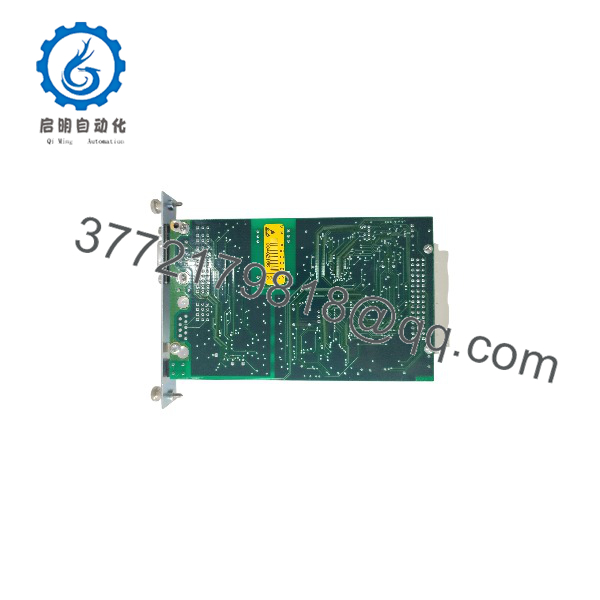
MPB1-TP
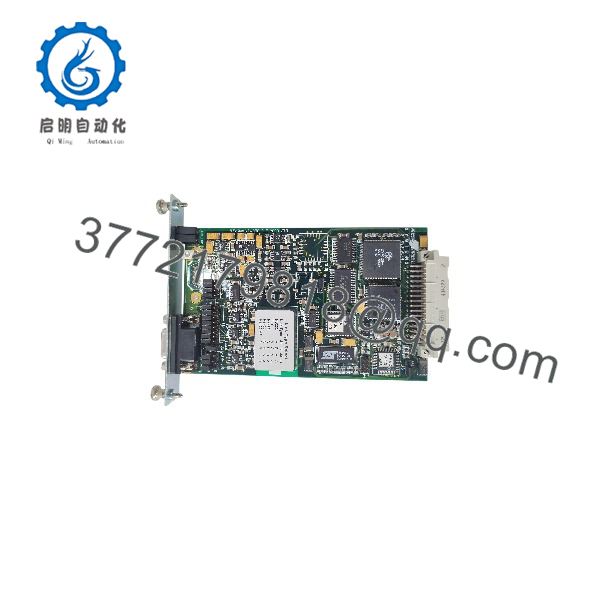
MPB1-TP
Installation and Configuration Guide
Stage 1: Verify Compatibility
- Confirm that the host is an Eaton XV400 Micro Panel model with the correct expansion slot.
- Check the existing card’s label and part number.
- Confirm the PLC model, communication protocol, and required physical interface.
- Check the installed firmware’s driver support against the intended PLC.
Stage 2: Power Down the Host
- Switch off the Micro Panel and isolate its power supply.
- Wait until the device is fully de-energized before accessing the expansion slot.
- Follow the host device’s safety and ESD-handling procedures.
Do not insert or remove the MPB1-TP while the host is powered. Eaton’s documentation explicitly requires the device to be switched off before fitting or removing the card.
Stage 3: Install the Communication Card
- Insert the module into the designated slot using the host manufacturer’s procedure.
- Check connector alignment and ensure the card is seated correctly.
- Avoid bending connector pins or applying excessive mechanical force.
- Close the panel enclosure before returning the device to service.
Stage 4: Configure the Interface and Driver
- Verify the interface selection and default RS-485 configuration.
- Select the appropriate PLC driver supported by the card’s firmware.
- Configure the serial parameters required by the connected controller, including baud rate, data bits, parity, and stop bits where applicable.
- Check the communication wiring and terminal assignments against the correct manual.
The MPB1-TP and MPB2-TP documentation notes that available drivers depend on firmware. If the required PLC driver is unavailable, verify whether a suitable firmware version exists before commissioning.
Stage 5: Commissioning and Troubleshooting
- Power up the host and confirm that it starts normally.
- Check the HMI’s communication status and PLC data exchange.
- If communication fails, check the interface mode, wiring polarity, serial parameters, PLC driver, and firmware compatibility.
- For RS-485 installations, inspect the bus topology and termination arrangement according to the network design.
- Record the working configuration for future maintenance.
Frequently Asked Questions
Q1: What is the Eaton MPB1-TP used for?
It is a communication expansion card for compatible Eaton XV400 Micro Panel devices. It provides serial communication options for supported PLCs and other automation equipment.
Q2: Which communication interfaces does it support?
The documented interface options include RS-232, RS-422, RS-485, and TTY. The available configuration depends on the card setup and applicable documentation.
Q3: Can the communicate with a Siemens S7 PLC?
Do not assume MPI support. Eaton’s manual identifies MPI for Siemens SIMATIC S7 as an additional capability of the MPB2-TP, distinguishing it from the . Confirm the exact interface and driver requirements for the target PLC before choosing a module.
Q4: Does the module support every PLC protocol?
No. Protocol availability depends on the firmware and its supported driver list. Confirm the exact PLC family and protocol before installation.
Q5: Can the be replaced while the HMI is running?
No. The manufacturer documentation requires the host device to be switched off before installing or removing the communication card.
Q6: What should be checked if the HMI cannot communicate with the PLC?
Start with the selected interface, wiring, serial settings, PLC driver, and firmware compatibility. Also confirm that the card is properly seated and that the host supports the module.
Q7: How should buyers verify a replacement ?
Confirm the full part number, compatible XV400 host model, interface requirements, firmware needs, and physical condition. For used or surplus inventory, request actual label photos and written confirmation of the unit’s condition. Current stock and warranty terms should be verified with the seller.



