
 WhatsApp: +86 16626708626
 Email:
  Phone: +86 16626708626
Description
3. Key Technical Specifications
| Parameter | Value |
|---|---|
| Manufacturer | Eaton |
| Model | XV-102-D0-57TVR-10 |
| Article Number | 142530 |
| Product Series | XV100 |
| Product Type | Industrial HMI Touch Panel |
| Display Size | 5.7-inch TFT LCD |
| Resolution | 640 × 480 (VGA) |
| Color Depth | 64K Colors |
| Touch Technology | 4-wire Resistive Touchscreen |
| Supply Voltage | 24 VDC |
| Ethernet | 1 × 10/100 Mbps RJ45 |
| USB | 1 × USB Device, 1 × USB Host 2.0 |
| Serial Interface | 1 × RS-232 |
| SD Card Slot | 1 |
| PLC Runtime | Expandable via optional PLC license |
| Panel Cutout | Approximately 185 × 135 mm |
| Dimensions | 170 × 130 × 39 mm |
| Weight | Approximately 0.52 kg |
| Certifications | CE, UL, cUL, DNV GL, IEC/EN 61131-2 |
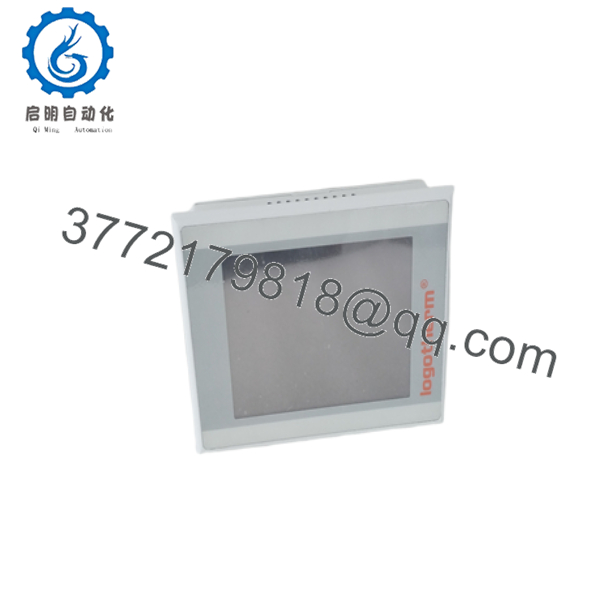
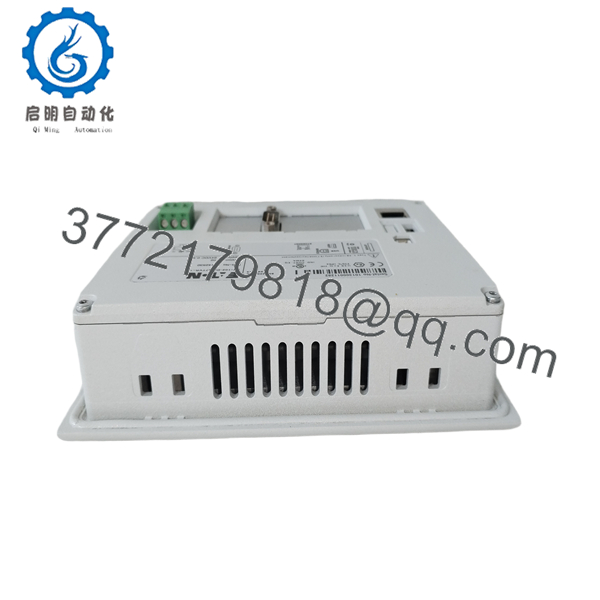
The XV-102-D0-57TVR-10 is the entry-level 5.7-inch model in Eaton’s XV100 family. It includes Ethernet, USB Host, USB Device, and a single RS-232 communication port. Additional PLC functionality can be enabled with an optional software license.
4. Product Introduction
The EATON XV-102-D0-57TVR-10 is an industrial Human Machine Interface (HMI) designed for machine builders and factory automation applications. It provides operators with a reliable interface for monitoring process variables, entering production parameters, acknowledging alarms, and controlling machinery through an intuitive touchscreen display.
As part of the XV100 family, this model combines a 5.7-inch VGA resistive touchscreen, Ethernet networking, USB connectivity, and RS-232 serial communication in a compact panel-mount enclosure. Unlike higher-end XV100 variants, the D0 version is intended for applications requiring only RS-232 communication and does not include CANopen, PROFIBUS, or RS-485 interfaces. This makes it well suited for standalone machines, packaging equipment, material handling systems, and OEM control panels.
5. Installation & Configuration Guide
Stage 1 – Pre-Installation Preparation
⚠️ Safety First
- Isolate the control cabinet power.
- Apply Lock-Out/Tag-Out procedures.
- Verify the 24 VDC power supply.
- Wear an ESD wrist strap.
- Confirm the panel cutout dimensions before installation.
Required Tools
- Phillips screwdriver
- Digital multimeter
- Ethernet cable
- USB flash drive
- Engineering PC with Eaton visualization software
- Torque screwdriver
Before Installation
- Back up the HMI application.
- Record IP address and communication settings.
- Verify PLC communication parameters.
- Inspect the cabinet gasket and mounting surface.
Stage 2 – Removing the Existing HMI
- Disconnect the 24 VDC power supply.
- Remove Ethernet and serial cables.
- Disconnect USB devices.
- Release the panel mounting clamps.
- Remove the HMI carefully from the cabinet.
Do not disconnect power while firmware updates or project downloads are in progress.
Stage 3 – Installing the New XV-102-D0-57TVR-10
- Verify the replacement model and article number (142530).
- Insert the HMI into the panel cutout.
- Tighten the mounting clamps evenly.
- Connect the 24 VDC power supply.
- Connect Ethernet and RS-232 communication cables.
- Download or restore the HMI application.
Installation Checklist
- ✔ Correct model verified
- ✔ Power wiring checked
- ✔ Ethernet communication established
- ✔ Serial communication verified
- ✔ Touchscreen calibrated if required
Stage 4 – Commissioning & Functional Testing
- Apply 24 VDC power.
- Confirm normal startup.
- Verify touchscreen operation.
- Test PLC communication.
- Verify alarm and process displays.
- Confirm operator controls function correctly.
⚠️ Troubleshooting
Display remains blank
- Verify the 24 VDC supply.
- Check power polarity.
- Inspect the power connector.
No PLC communication
- Verify RS-232 parameters.
- Check baud rate and protocol settings.
- Inspect communication cables.
Touchscreen inaccurate
- Perform touchscreen calibration.
- Clean the display surface.
- Check for mechanical stress from overtightened mounting clamps.
Field Experience: One of the most common startup issues is restoring an HMI project without matching the communication settings to the connected PLC. Before replacing the terminal, export the existing project and document the IP address, serial parameters, and protocol configuration.

- XV-102-D0-57TVR-10
- XV-102-D0-57TVR-10
6. Frequently Asked Questions (FAQ)
Q1. What is the primary function of the XV-102-D0-57TVR-10?
It serves as an operator interface for industrial machines, allowing operators to monitor process values, acknowledge alarms, modify production parameters, and interact with PLC-controlled equipment through a graphical touchscreen.
Q2. What communication interfaces are included?
This model includes:
- 1 × Ethernet (10/100 Mbps)
- 1 × RS-232
- 1 × USB Host 2.0
- 1 × USB Device
- 1 × SD Card Slot
Unlike D4, D6, and D8 variants, the D0 version does not include RS-485, CANopen, or PROFIBUS interfaces.
Q3. Can the XV-102-D0-57TVR-10 operate as a PLC?
Yes. The hardware supports an optional embedded PLC runtime. PLC functionality can be activated by installing the LIC-PLC-MXP-COMPACT license. Without the license, the unit operates solely as an HMI.
Q4. What industries commonly use this HMI?
Typical applications include:
- Packaging machinery
- Material handling systems
- Food and beverage processing
- Water treatment
- Automotive manufacturing
- General machine automation
- OEM equipment
Q5. What is the most common replacement mistake?
A frequent mistake is assuming that all XV100 models have identical communication interfaces. The D0 version only provides RS-232, so replacing a D6 or D8 model with a D0 unit can result in missing CANopen, PROFIBUS, or RS-485 connectivity. Always verify the suffix before ordering.
Q6. Is the XV-102-D0-57TVR-10 still available?
The XV100 series is considered a mature product family. While many units remain in service, availability typically comes from new surplus inventory or professionally tested refurbished stock. Before purchasing, verify the article number (142530), communication interfaces, firmware compatibility, and project requirements to ensure it matches the installed system.



