
 WhatsApp: +86 16626708626
 Email:
  Phone: +86 16626708626
Description
3. Key Technical Specifications
| Parameter | Specification |
| Manufacturer | Foxboro (Invensys / Schneider Electric) |
| Part Number | FBMSSW |
| System Compatibility | Foxboro I/A Series Distributed Control System (DCS) |
| Input Voltage | 24 V DC nominal (20.4 V DC to 28.8 V DC range) |
| Power Consumption | Maximum 12 W @ 24 V DC |
| Communication Bus | Redundant Fieldbus (10 Mbps HDLC) |
| Operating Temperature | 0 to +60 °C (32 to 140 °F) |
| Relative Humidity | 5% to 95% (Non-condensing) |
| Mounting Configuration | Baseplate / Standard Mounting Rail |
| Dimensions (H x W x D) | 115 mm x 45 mm x 105 mm |
| Weight | 0.45 kg (1.0 lb) |
4. Product Introduction & Supply Chain Strategy
The Foxboro FBMSSW serves as a vital network interface switch within legacy I/A Series DCS architectures, routing high-speed fieldbus communications between field I/O modules and primary controllers. Processing teams rely on this unit to maintain real-time telemetry across mission-critical chemical and power generation loops.
Acquiring this discontinued module as New Surplus secures operational continuity without the prohibitive risk of refurbished failures. Replacing a failed switch with a untested, degraded component risks dropping entire rack segments—costing tens of thousands of dollars per hour in unexpected outage time. Securing a factory-sealed unit maintains OEM-level backplane pin integrity and isolation ratings, lowering Total Cost of Ownership (TCO) and mitigating stock-out risk on mature production lines.
5. Installation & Configuration Guide
Stage 1: Pre-Installation (Prep & Safety)
- Enforce Lock-Out/Tag-Out (LOTO) protocols on primary 24 V DC distribution feeds to the target mounting rack.
- Put on a calibrated anti-static wrist strap connected to a verified earth ground terminal.
- Photograph the existing module wiring, baseplate pin positions, and any manual address dials before removal.
Stage 2: Removal
- Unplug input power and fieldbus communications cables by releasing the side locking tabs.
- Disengage the top and bottom baseplate retention latches simultaneously.
- Pull the old module straight out from the backplane to prevent bending the connector pins.
Stage 3: Installation (Clone & Seat)
- Match any hardware jumpers or address switches on the new FBMSSW to the exact configuration recorded in Stage 1.
- Align the rear connector pins with the backplane guide slots.
- Push the module firmly into the baseplate until the retention latches snap securely into place.
Stage 4: Power-On & Testing
- Measure the supply rail to verify 24 V DC (±10%) is present before applying load.
- Reattach fieldbus interface cables.
- Apply power and observe the front panel LEDs: verify the
POWERlight illuminates solid green andERRremains off. - Verify from the DCS engineering workstation that communication handshake initializes with zero packet drops.
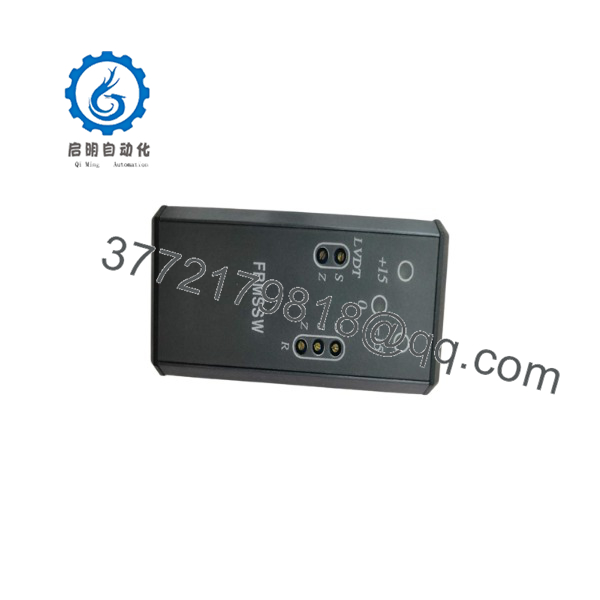
FBMSSW
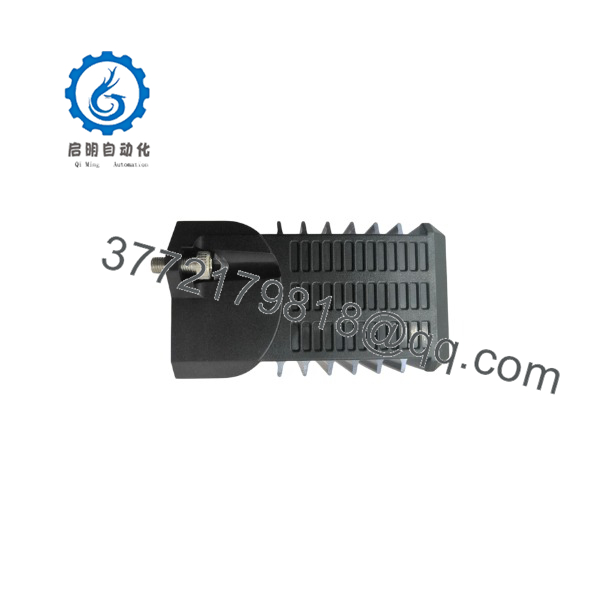
FBMSSW
6. Firmware/Software Versions & Upgrade Notes
- Recommended Operating Firmware: Revision 2.04 or higher for standard I/A Series system integrators.
- Hardware Compatibility: Fully backwards-compatible with standard FBM baseplates, but software block definitions must align with your Foxboro system software version (Nodebus / Fieldbus drivers).
- Firmware Flashing Hazard: Never attempt a firmware flash while the module is active on an operational control loop. A power disruption or network drop during flash operations permanently corrupts the module memory. Always verify baseplate hardware compatibility before applying system software patches.
7. Frequently Asked Questions (FAQ)
Q: Is this FBMSSW module brand new or pulled from an old plant?
This unit is 100% New Surplus. It has never seen field service, was never pulled from a decommissioned cabinet, and is not a refurbished board. It comes preserved in original anti-static packaging.
Q: Why does New Surplus cost more than refurbished options on auction sites?
Refurbished modules usually feature aged electrolytic capacitors and worn backplane contacts, yielding a high failure rate within 6 months. Paying a small premium for verified New Surplus eliminates multi-thousand-dollar downtime events caused by failing legacy components.
Q: The OEM has marked the FBMSSW as End-of-Life (EOL). How do I maintain my system?
The best strategy for EOL hardware is holding 1-2 spare units on-site as insurance buffer stock. This prevents extended plant shutdowns caused by lengthy lead times when hunting down rare replacement parts on the open market.
Q: Can I hot-swap the FBMSSW module while the backplane is live?
While Foxboro baseplates support hot-swapping under controlled conditions, doing so can cause momentary fieldbus communication glitches on adjacent modules. We recommend putting the affected control loop into Manual mode and cutting power to the local slot if possible.
Q: What warranty comes with this module?
We back our New Surplus inventory with a comprehensive 1-year replacement warranty. If the module fails during initial startup or under normal operating conditions, we replace it directly from our warehouse stock.



