
 WhatsApp: +86 16626708626
 Email:
  Phone: +86 16626708626
Description
3. Key Technical Specifications
| Parameter | Value |
| Part Number | 531X304IBDAAG2 |
| Manufacturer | General Electric (GE) |
| Function | LAN I/O Terminal Interface |
| Compatibility | GE 531X Drive Control Systems |
| Input Voltage | 24 V DC (typical backplane) |
| Mounting Style | Internal Drive Cabinet / Standoff Mount |
| Communication | Proprietary GE LAN Protocol |
| Operating Temp | 0 to 60 °C (32 to 140 °F) |
| Humidity | 5% to 95% Non-condensing |
| Dimensions | Standard 531X Series Form Factor |
4. Product Introduction & Supply Chain Strategy
The GE 531X304IBDAAG2 is a critical LAN I/O terminal board utilized within GE’s legacy industrial drive ecosystems. It serves as the primary communication bridge between the drive control processor and external I/O points, ensuring real-time data synchronization and command execution.
From a supply chain perspective, the 531X304IBDAAG2 is an EOL (End of Life) component, making “New Surplus” the only viable path to maintaining OEM-level reliability. Avoiding refurbished units is essential; used boards often suffer from latent capacitor degradation and terminal fatigue. By securing a New Surplus unit, you minimize the Total Cost of Ownership (TCO) by bypassing the high failure rates and emergency shipping costs associated with second-hand hardware.
5. Installation & Configuration Guide
Stage 1: Pre-Installation (Prep & Safety)
Ensure the drive is completely de-energized. Follow standard lock-out/tag-out (LOTO) procedures. Before removing the existing board, take high-resolution photos of all cable connections and verify any jumper settings. Use a grounded ESD wrist strap to prevent static discharge to the sensitive LAN circuitry.
Stage 2: Removal
Carefully disconnect all terminal blocks and ribbon cables. Unscrew the mounting hardware from the standoffs. Pull the board straight out to avoid putting lateral stress on any backplane connectors or neighboring components.
Stage 3: Installation (Clone & Seat)
Inspect the new 531X304IBDAAG2 for any shipping damage. Match the jumper configurations from the old board to the new one exactly. Align the board with the mounting standoffs and press firmly into place. Reconnect all wiring, ensuring every terminal is torqued correctly to prevent vibration-induced loosening.
Stage 4: Power-On & Testing
Perform a visual check for tools or debris left in the cabinet. Apply power and monitor the status LEDs. Verify that the LAN communication handshake is established without “Protocol Timeout” errors. Test 2-3 I/O points to confirm the signal path is clear.
6. Firmware/Software Versions & Upgrade Notes
- Firmware Consistency: This board typically functions as a transparent interface, but the LAN controller version must match the drive’s master control firmware.
- Compatibility: The “G2” suffix indicates a specific revision level. Ensure your drive parameters support the G2 hardware profile; using an earlier “G1” revision may result in missing I/O registers.
- Risk Warning: Do not attempt to flash firmware to this board during a live production run. If a firmware mismatch occurs, the drive will likely trigger a “Comm Fault,” necessitating a full system reset.
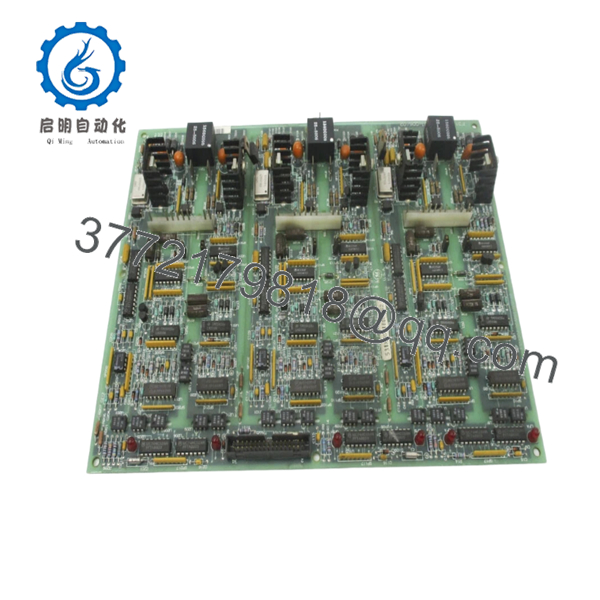
- 531X304IBDAAG2
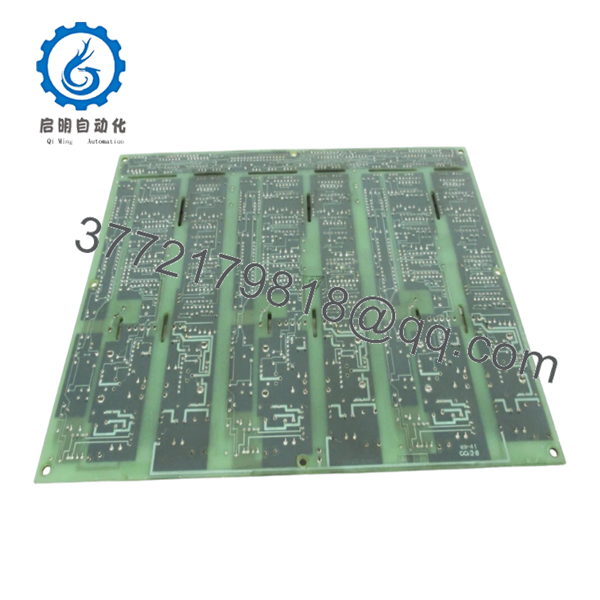
- 531X304IBDAAG2
7. Frequently Asked Questions (FAQ)
Q: Is this board truly new, or is it a “cleaned up” used part?
A: This is 100% Brand New Surplus. It has never been installed in a drive or powered on in a production environment. We do not sell refurbished or “pulled” parts because the risk of failure is too high for our industrial clients.
Q: Why should I pay more for New Surplus than a refurbished board on eBay?
A: Reliability and TCO. A refurbished board might save you $400 today, but if it fails in six months, you lose tens of thousands in lost production. Our New Surplus units provide the full original service life you expect from GE.
Q: Can I hot-swap the 531X304IBDAAG2 while the drive is running?
A: Absolutely not. Removing or inserting this board while the backplane is energized can cause electrical arcing, potentially frying the main control processor. Always power down completely.
Q: Will I need to reprogram my drive after installing this board?
A: Generally, no. As long as you replicate the jumpers and DIP switches from your original board, the drive logic remains stored in the main CPU. This board acts as the “messenger” for those signals.
Q: What is the warranty on this EOL part?
A: We provide a full 1-year warranty on all New Surplus GE components, giving you the same protection you would have received from the factory originally.



