
 WhatsApp: +86 16626708626
 Email:
  Phone: +86 16626708626
Description
Key Technical Specifications
| Parameter | Value |
| Manufacturer | GE Fanuc |
| Part Number | IC693CHS391EG |
| Revision | EG (or latest hardware revision release) |
| Series | Series 90-30 |
| Baseplate Type | Local Expansion Baseplate |
| Number of Slots | 10 total slots (1 Power Supply slot + 9 I/O card slots) |
| System Capacity | Maximum 4 expansion/remote baseplates per CPU system |
| Cable Connection | Right-end 25-pin D-sub expansion bus connector (In/Out) |
| Power Supply Slot | Leftmost dedicated slot (accepts IC693PWR321, PWR322, PWR330) |
| Interconnect Distance | Up to 50 feet (15 meters) total expansion cable length |
| Backplane Bus Current | Driven by local expansion rack power supply |
| Mounting Type | Panel mount (4-bolt footprint) or DIN rail mounting |
Product Introduction & Supply Chain Strategy
The GE Fanuc IC693CHS391EG is a 10-slot local expansion baseplate for Series 90-30 PLC architectures. It extends system I/O capacity beyond the main CPU baseplate, routing high-speed backplane signals across local expansion cables directly to the central processor.
Securing this baseplate as New Surplus provides an essential insurance policy against catastrophic rack-level failures. Sourcing factory-fresh, unused backplates eliminates the risks of hairline board trace fractures, corroded pin sockets, and intermittent bus faults that plague second-hand chassis extracted from harsh industrial environments.
Installation & Configuration Guide
Stage 1: Pre-Installation (Prep & Safety)
- Execute complete Lock-Out/Tag-Out (LOTO) procedures on the main CPU rack, expansion power supply, and field I/O loops.
- Put on a grounded anti-static wrist strap before handling the replacement baseplate to prevent ESD damage to exposed backplane traces.
- Mark and photograph all existing module slot locations, power supply cabling, and I/O expansion cables connected to the 25-pin bus port.
Stage 2: Removal
- Disconnect the expansion bus cable from the 25-pin D-sub connector on the right end of the baseplate.
- Unplug field wiring blocks and pull out the power supply and all installed I/O cards from slots 1 through 9.
- Loosen the mounting bolts or release the DIN rail latches to detach the empty IC693CHS391 baseplate from the enclosure panel.
Stage 3: Installation (Clone & Seat)
- Mount the IC693CHS391EG securely to the panel backplate using 4 M4 (or #8) screws, ensuring proper earth grounding metal-to-metal contact.
- Re-insert the power supply into the leftmost dedicated slot and seat all I/O modules back into their original physical slot numbers.
- Connect the expansion bus cable to the 25-pin D-sub port. Ensure terminal resistors (IC693ACC301) are firmly screwed in if this baseplate is the final physical rack in the expansion chain.
Stage 4: Power-On & Testing
- Verify ground continuity between the baseplate grounding stud and system earth ground with a digital multimeter.
- Reapply power to the local expansion rack power supply and the main CPU rack.
- Verify that the power supply MODULE OK LED lights solid green and confirm in Proficy Machine Edition or Logicmaster 90 that all expansion rack I/O modules are recognized without bus communication errors.
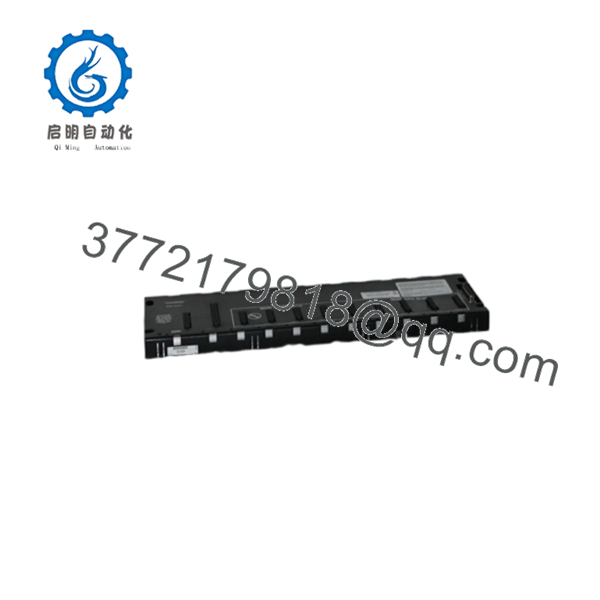
IC693CHS391EG
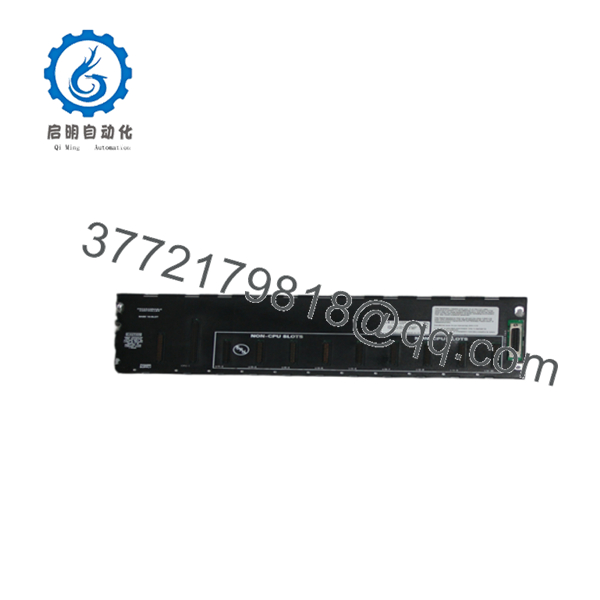
IC693CHS391EG
Firmware/Software Versions & Upgrade Notes
- Revision Compatibility: The “EG” suffix designates the specific hardware revision level. Revision EG is fully backward-compatible with all earlier revision levels (e.g., AA through EF) of the IC693CHS391 chassis.
- Bus Addressing Rules: Baseplate rack numbers (Rack 1, Rack 2, etc.) are determined by the physical daisy-chain connection order and the DIP switch or jumper configuration on the expansion cable adapters. No onboard firmware resides on the baseplate itself.
- Expansion Limits: Local expansion baseplates require a CPU system capable of addressing multi-rack configurations (CPU331 or higher). Ensure total expansion cable length across the local bus does not exceed 50 feet (15 meters) to prevent signal degradation and backplane timing faults.
Frequently Asked Questions (FAQ)
Is this IC693CHS391EG baseplate a brand-new unit or a pulled/refurbished chassis?
This product is a Brand New Surplus unit. It is not used, not pulled from a decommissioned plant, and not refurbished. All modules undergo rigorous quality verification to ensure OEM-level reliability.
Why is buying New Surplus crucial for backplates and chassis components?
Backplates house the physical connectors, trace lines, and bus pathways that connect every module in the rack. Refurbished or pulled baseplates often suffer from bent connector pins, micro-cracks in multi-layer PCB traces, and contact wear caused by years of thermal expansion. Investing in New Surplus guarantees 100% connector spring tension and zero prior environmental contamination.
What quality control checks are performed before this baseplate ships?
Every IC693CHS391EG undergoes a physical inspection of all 10 card-edge connectors, anti-counterfeit serial verification, backplane pin alignment checks, and electrical continuity testing to confirm signal path integrity across all bus lines.
What is the difference between a Local Expansion Baseplate and a Remote Expansion Baseplate?
A Local Expansion Baseplate (such as the IC693CHS391) connects to the CPU via high-speed backplane parallel signals using short cables (up to 50 ft) and supports all high-speed I/O cards. A Remote Expansion Baseplate uses serial communication interfaces for distances up to 700 feet, but has restrictions on certain high-speed specialty modules.
Does the IC693CHS391EG require a CPU to be installed directly on the baseplate?
No. Local Expansion Baseplates do not have a CPU slot. The CPU must reside in slot 1 of the Main Baseplate (IC693CHS398 or IC693CHS391 Main version). The expansion baseplate contains a power supply slot and 9 I/O slots managed remotely by the main CPU.
What warranty is provided with this New Surplus baseplate?
This baseplate comes with a full 1-year functional warranty. If any operational fault, power distribution error, or pin connection defect arises during normal operation within 12 months, we will immediately provide a replacement unit from our active buffer stock.



