
 WhatsApp: +86 16626708626
 Email:
  Phone: +86 16626708626
Description
Key Technical Specifications
- Model: IC752SPL013-BA
- Brand: GE
- Series: EX2100 Excitation Control
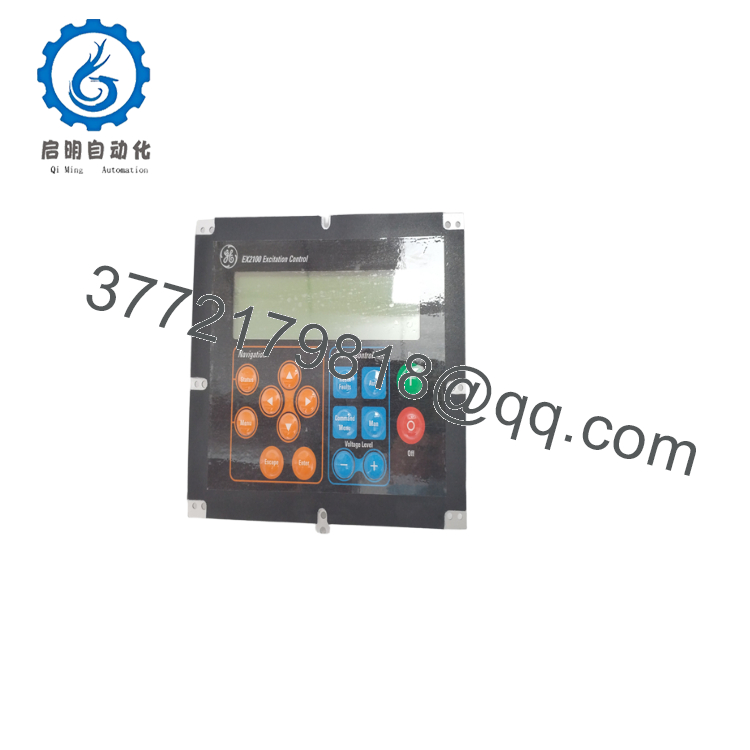
- Function: Local operator interface for excitation panels
- Keypad: 12-button tactile keypad
- Display: 16-character alphanumeric display
- Mounting: Front door / panel mount
- Application: Generator excitation monitoring and local parameter entry
- Replacement Type: Field-replaceable operator interface
- Compatibility: Verify exact EX2100 panel revision before ordering
- Weight: Verify against shipped unit
- Condition: New Surplus or Refurbished, depending on stock
Product Introduction
GE IC752SPL013-BA is an EX2100 operator interface used on excitation control panels for local monitoring and parameter entry. It gives technicians direct access to status, alarms, and setpoints at the cabinet door.
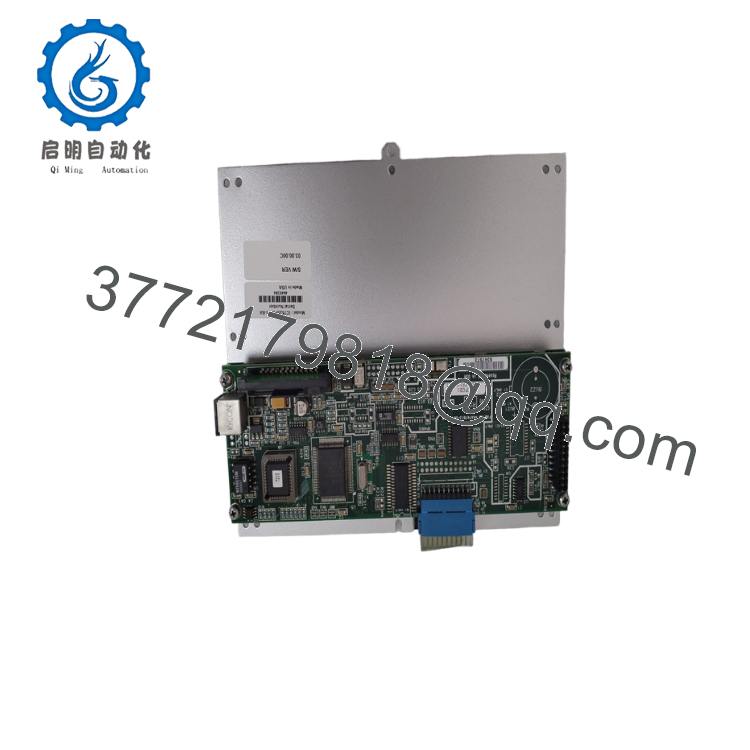
This part is chosen when the front-panel keypad or display must be replaced without changing the full control system. Verify the exact EX2100 revision, connector fit, and panel cutout before installation.

- IC752SPL013
- IC752SPL013
Troubleshooting Quick Reference
| Symptom | Possible Cause | Relevance to This Part | Quick Check Method | Recommendation |
|---|---|---|---|---|
| Display is blank | No panel power, bad ribbon cable, or failed display | ✅ High | Measure supply voltage at the panel connector and inspect the ribbon cable seating | Check power and cabling before replacing the interface |
| Keypad buttons do nothing | Failed keypad membrane, cable fault, or controller-side issue | ✅ High | Test button response from the panel menu and inspect the flex connection | Replace only after confirming the cable and backplane are good |
| Random characters on screen | Bad connector contact, EMI, or display failure | ✅ High | Reseat connectors and check grounding in the cabinet | Verify grounding and cabling first |
| Local menu is frozen | Panel logic fault, supply instability, or communication issue | ✅ High | Power-cycle the panel and check for stable voltage during startup | If the fault returns, replacement is likely |
| Alarm codes are present but cannot be cleared | System-level excitation fault, not the keypad itself | ❌ Low | Read the EX2100 diagnostic buffer and compare the active alarm list | Fix the upstream excitation fault first |
| Backlight works but no text appears | Display driver failure or internal board fault | ✅ High | Confirm contrast settings and inspect the internal display path | Usually points to module replacement |
If you are stuck, send photos of the panel, connector area, and diagnostic logs to technical support.
Frequently Asked Questions
Q: What is the IC752SPL013-BA used for?
A: It is the local operator interface for GE EX2100 excitation control panels. Technicians use it to view status, alarms, and local parameter data at the cabinet.
Q: Is this the same as the keypad-only part?
A: Not always. Some listings describe it as a keypad and display assembly, so you should verify the exact panel revision and hardware suffix before ordering.
Q: Can I swap it without reprogramming the controller?
A: Usually yes, because this is an interface device rather than the main controller. Still, verify that the panel configuration and connector layout match the original unit.
Q: Is it hot-swappable?
A: No, do not treat it like a hot-swap part. Power down the panel before removal unless the OEM procedure for your exact EX2100 installation says otherwise.
Q: Why do some units sell cheaper than factory new?
A: New surplus and tested used parts usually cost less because they come from spare inventory, canceled projects, or decommissioned equipment. The price difference should be tied to clear condition disclosure and test results.
Q: What should I check before ordering?
A: Confirm the full model number, suffix, panel cutout, cable type, and EX2100 revision. That avoids the common mistake of buying a part that looks right but does not fit the site hardware.
Q: What condition should I ask for?
A: Use one of three clear terms: New Original, New Surplus, or Refurbished (tested). Anything vague creates problems later when the buyer asks for traceability or warranty proof.



