
 WhatsApp: +86 16626708626
 Email:
  Phone: +86 16626708626
Description
3. Key Technical Specifications
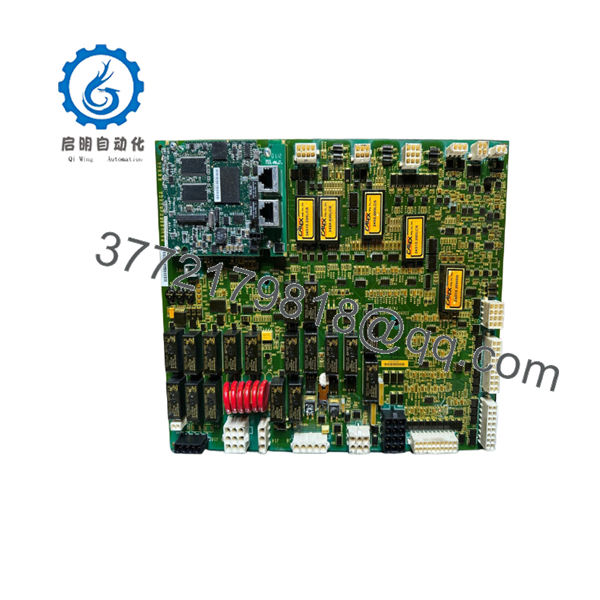
GE IS200AEPAH1AFD
- Manufacturer: GE (General Electric)
- Model: IS200AEPAH1AFD
- Functional Acronym: AEPA
- Product Type: Exciter Application Processor Board
- Series: GE Mark VI Turbine Control
- Application: Generator excitation and turbine control interface
- Primary Function: Excitation application processing
- Control Platform: Mark VI Speedtronic system
- Communication: Mark VI backplane communication
- Mounting: VME control rack
- Input Supply: 24 V DC system environment (application dependent)
- Configuration Software: GE ToolboxST / Mark VI engineering tools
([turn0search0]turn0search9)
GE IS210BPPBH2CAA
- Manufacturer: GE (General Electric)
- Model: IS210BPPBH2CAA
- Functional Acronym: BPPB
- Product Type: Backup Protection Processor Board
- Series: GE Mark VI Turbine Control
- Application: Turbine and generator protection logic
- Protection Architecture: TMR (Triple Modular Redundancy) compatible
- Processor Function: Independent protection processing
- Interface: Mark VI backplane communication
- Connector Type: Multiple board connectors
- Humidity Rating: 5–95% RH non-condensing (reported)
- Weight: Approx. 0.9 kg (reported)
([turn0search1]turn0search2)
4. Product Introduction
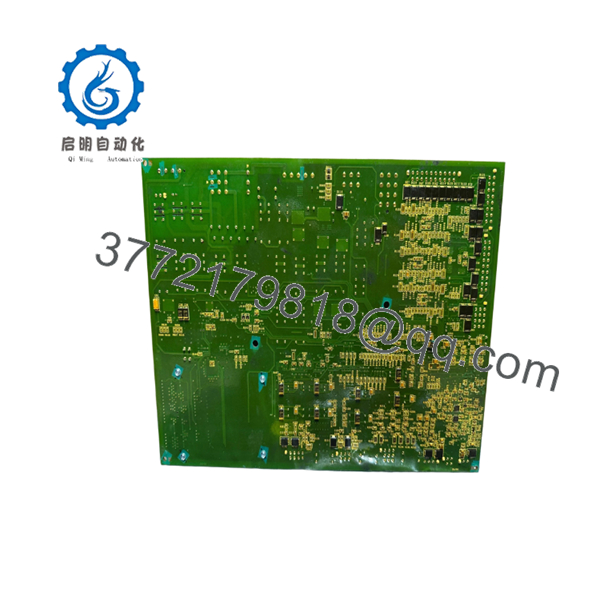
The GE IS200AEPAH1AFD and IS210BPPBH2CAA are Mark VI Speedtronic turbine control PCB assemblies used in GE gas and steam turbine control applications. The AEPA board handles excitation application processing, while the BPPB board provides backup protection processing functions within the turbine safety architecture. ([turn0search0])
These boards are typically maintained as critical spare parts for legacy Mark VI installations. Before replacement, verify rack position, firmware compatibility, hardware revision, and the existing ToolboxST configuration database.

- IS200AEPAH1AFD IS210BPPBH2CAA
- IS200AEPAH1AFD IS210BPPBH2CAA
5. Installation & Configuration Guide
Stage 1: Pre-Installation Preparation (Estimated Time: 10 minutes)
⚠️ Safety First
- Notify operations before removing turbine control hardware.
- Place the turbine system into an approved maintenance condition.
- Apply lockout/tagout procedures.
- Remove cabinet power.
- Wait at least 5 minutes for stored energy discharge.
Tools Required
- ESD wrist strap
- PH1 screwdriver
- Digital multimeter
- Wire labels
- Smartphone/camera
Data Backup
- Record VME rack location.
- Photograph:
- Board labels
- Connector positions
- Rack slot arrangement
- Existing LED status
- Backup Mark VI configuration.
- Record current fault logs.
Stage 2: Removing the Old Module (Estimated Time: 5 minutes)
- Open the control cabinet.
- Verify power is removed.
- Label all cables and connectors.
- Remove retaining screws.
- Pull the PCB straight out from the rack.
- Inspect the backplane connector.
⚠️ Do not discard the old board until the replacement completes testing. The old unit is the fastest reference for jumper, revision, and wiring checks.
Stage 3: Installing the New Module (Estimated Time: 10 minutes)
- Wear ESD protection.
- Confirm exact replacement numbers:
- IS200AEPAH1AFD
- IS210BPPBH2CAA
- Compare hardware revision markings.
- Install into the correct Mark VI rack slot.
- Secure retaining hardware.
- Reconnect all connectors.
Installation Checklist
- Correct board model verified
- Rack slot confirmed
- Connectors fully seated
- Mechanical fasteners secured
⚠️ Firmware and configuration warning: A board revision mismatch can create communication faults even when the part number appears similar.
Stage 4: Power-On & Testing (Estimated Time: 15 minutes)
- Verify control cabinet voltage.
- Energize the rack.
- Check board LEDs.
- Connect GE engineering workstation.
- Verify:
- Board recognition
- Communication status
- Protection processor health
- Excitation control status
- Perform functional checks before returning the turbine to service.
⚠️ Troubleshooting Notes
- Board not detected: inspect VME seating and rack connections.
- Protection alarms: verify BPP configuration and redundancy status.
- Excitation faults: verify AEPA configuration and I/O mapping.
6. Frequently Asked Questions (FAQ)
Q1: Are IS200AEPAH1AFD and IS210BPPBH2CAA the same board?
A: No. They perform different functions. IS200AEPAH1AFD is an excitation application processor board, while IS210BPPBH2CAA is a backup protection processor board. ([turn0search0]turn0search1)
Q2: Can these boards be hot-swapped?
A: Do not assume hot-swap capability. For turbine control processor boards, remove power unless the exact GE cabinet documentation confirms live replacement.
Q3: What systems use these GE boards?
A: They are associated with GE Mark VI Speedtronic turbine control systems used on gas and steam turbine applications. ([turn0search0])
Q4: Will replacing the processor board erase turbine logic?
A: The application configuration is normally maintained in the Mark VI control system database, but always back up the current configuration before replacement.
Q5: Why are these parts supplied as New Original or Surplus?
A: Mark VI hardware is a legacy platform. Many replacement boards come from maintenance inventory, project spare stock, or tested surplus channels.
Q6: What should be verified before ordering?
A: Confirm:
- Full part number
- Hardware revision
- Rack type
- Firmware compatibility
- Existing Mark VI configuration
Q7: What inspection should be performed before installation?
A: Check serial traceability, PCB condition, connector integrity, corrosion, contamination, and perform functional testing before installing into a running turbine control system.



