
 WhatsApp: +86 16626708626
 Email:
  Phone: +86 16626708626
Description
Key Technical Specifications
| Parameter | Specification |
|---|---|
| Model | D201138 |
| Manufacturer | Metso Automation / Valmet |
| Module Designation | IBC |
| Full Function | Process Interface Controller |
| Product Type | Process bus controller |
| Server-Side Interface | 10/100 Mbit/s Ethernet |
| I/O-Side Bus | Asynchronous 1.5 Mbit/s serial bus |
| Maximum I/O Units per IBC | 16 |
| Cabinet Field Bus | Synchronous 3 Mbit/s |
| Manufacturer Status | Discontinued |
| Listed Weight | Approx. 0.59 kg / 1.30 lb |
| Application | Metso ACN process-control and distributed I/O architecture |
The most useful model-specific technical data comes from the IBC documentation rather than generic reseller descriptions: the D201138 connects to the process control server through 10/100 Mbit/s Ethernet, communicates with I/O units through a 1.5 Mbit/s asynchronous serial bus, and can control up to 16 I/O units. It can also participate in a 3 Mbit/s synchronous cabinet field bus with other IBC units.
Radwell independently lists D201138 as a Metso Automation/Valmet PLC module/rack and identifies it specifically as an IBC Controller Module. Its listing gives a weight of approximately 0.59 kg and states that the manufacturer has discontinued the part.
Important specification note: Several current aftermarket pages incorrectly or inconsistently attribute generic values such as Modbus, Profibus, Ethernet, 24 VDC input, DIN-rail mounting, and wide temperature ranges to D201138. Those values are not sufficiently supported by the D201138-specific technical documentation located here, so they should not be used as confirmed purchasing specifications.
Product Introduction
The Metso D201138 is an IBC Process Interface Controller used in Metso automation architecture to connect a process control server with distributed I/O units. The documented architecture uses 10/100 Mbit/s Ethernet on the server side and a 1.5 Mbit/s asynchronous serial bus toward the I/O units.
The module is particularly relevant when maintaining legacy Metso ACN installations where the original IBC architecture must remain operational. Because is listed as discontinued, replacement work should verify the exact hardware revision, IBC configuration, connected I/O units, and cabinet field-bus topology before installation.
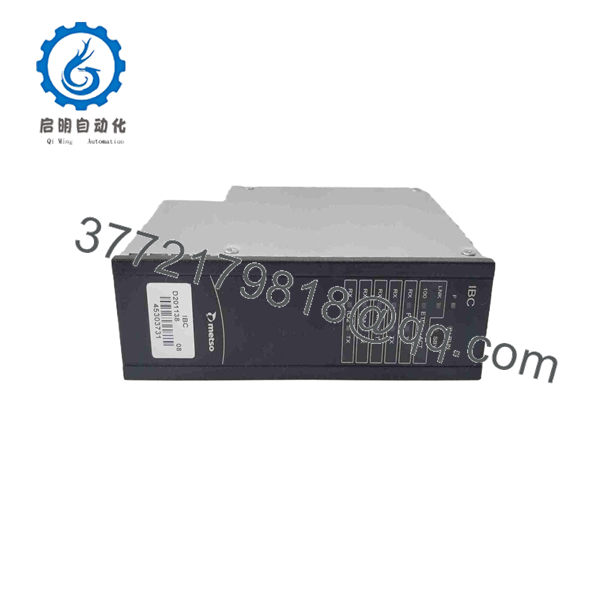
D201138
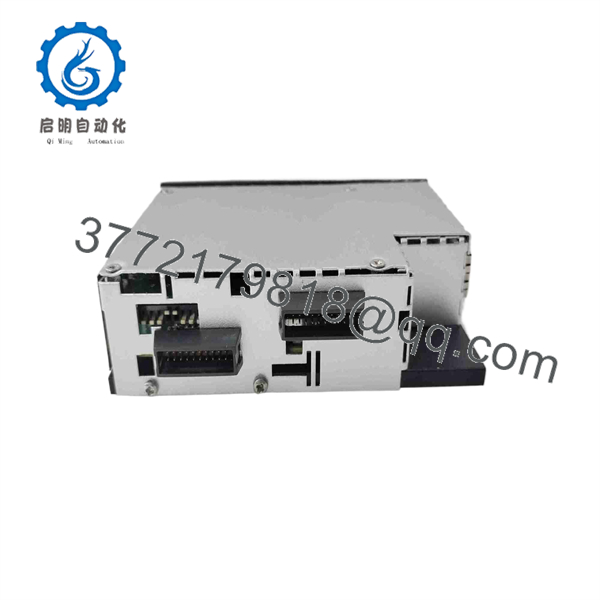
D201138
Installation & Configuration Guide
Stage 1 — Pre-Installation Preparation
Estimated time: 30–45 minutes
- Apply LOTO (Lockout/Tagout) to the affected control cabinet according to the site’s electrical safety procedure.
- Wait at least 5 minutes after power removal before handling the controller.
- Wear an ESD wrist strap when handling the .
- Prepare a PH1 screwdriver, calibrated multimeter, wire labels, camera/smartphone, and the applicable Metso system documentation.
- Photograph the existing , its rack position, cabling, status indicators, and adjacent I/O modules.
- Record the existing hardware revision and all visible identification labels.
- Back up the applicable control-system configuration and communication parameters before removal.
- Record the Ethernet connection and I/O bus arrangement.
- Confirm the replacement is specifically identified as , not only as a similar D201138L variant.
⚠️ Do not assume and D201138L are interchangeable. Current parts databases list both as IBC controller modules, but the exact hardware revision and system compatibility should be verified against the installed system.
Stage 2 — Removing the Existing Module
Estimated time: 20–30 minutes
- Confirm that cabinet power has been isolated.
- Measure the relevant supply voltage before disconnecting the controller.
- Label communication cables and connectors before removal.
- Photograph the Ethernet and I/O-bus connections.
- Disconnect the applicable communication and backplane connections.
- Release the module’s mechanical retaining mechanism.
- Carefully remove the from its mounting position.
- Inspect the mating connectors, backplane, and adjacent modules for oxidation, contamination, bent contacts, or thermal damage.
- Check whether the connected I/O-unit count and bus topology match the documented IBC architecture.
⚠️ If the original failed following a communication fault, do not immediately conclude that the controller itself caused the failure. Inspect the Ethernet path, I/O serial bus, power supply, and connected I/O units first.
Stage 3 — Installing the New
Estimated time: 25–40 minutes
- Compare the replacement against the removed unit, including identification, hardware revision, connectors, and physical interface.
- Inspect the replacement for shipping damage or contamination.
- Verify the mating backplane and connectors are clean and undamaged.
- Install the into the designated controller position.
- Secure the module mechanically.
- Reconnect the Ethernet-side communication connection according to the original system documentation.
- Reconnect the I/O-side bus connection.
- Verify that the connected I/O architecture remains within the documented limit of 16 I/O units per IBC.
- Check the cabinet field-bus arrangement if multiple IBC units are interconnected.
- Verify all cable shields and grounding arrangements according to the original Metso cabinet documentation.
⚠️ Do not change bus topology during a controller replacement unless the engineering documentation specifically calls for it. A replacement should first reproduce the known-good configuration.
Stage 4 — Power-On & Testing
Estimated time: 45–90 minutes
- Restore cabinet power according to the site’s commissioning procedure.
- Observe the status indicators during startup.
- Verify that the process control server establishes communication with the IBC.
- Confirm that the I/O-side serial bus initializes correctly.
- Verify that all expected I/O units appear in the system configuration.
- Check for controller, communication, or I/O-bus diagnostic alarms.
- Confirm process values and I/O status against the engineering database.
- Perform a controlled I/O test where permitted by the plant operating procedure.
- Check the 10/100 Mbit/s Ethernet communication path and the I/O-bus communication status.
- If multiple IBC units participate in the cabinet field bus, verify synchronization and communication between the applicable units.
- Monitor the system for intermittent communication errors before returning the cabinet to normal service.
- Record the replacement part number, hardware revision, test results, and final system status in the maintenance record.
For a critical process-control installation, a successful module power-up is not sufficient acceptance criteria. The controller should communicate correctly with the process server and recover the expected I/O-unit population before the maintenance job is closed.
Frequently Asked Questions (FAQ)
1. What is the Metso ?
The is a Metso Automation IBC Process Interface Controller. Its documented role is to connect a process control server with distributed I/O units through the IBC process-bus architecture.
2. What does IBC mean in the documentation?
The technical documentation identifies the as an IBC (Process Interface Controller). It functions as the bus controller between the process control server and the I/O units rather than as a conventional standalone analog or digital I/O card.
3. How many I/O units can one control?
The IBC documentation specifies a maximum of 16 I/O units for one IBC. The architecture can also form a synchronous cabinet field bus with other IBC units.
4. What communication interfaces are documented for ?
The documentation specifies 10/100 Mbit/s Ethernet between the IBC and the process control server and an asynchronous 1.5 Mbit/s serial bus between the IBC and its I/O units. A separate synchronous 3 Mbit/s cabinet field bus can connect IBC units.
5. Is obsolete?
Yes. Current industrial parts databases list as discontinued by the manufacturer. Maintenance inventory may therefore consist of unused original stock, surplus units, refurbished units, or tested used modules.
6. Is the same as D201138L?
They are closely related IBC controller part numbers, and several parts databases list both. However, do not approve D201138L as a direct substitute solely from the similar designation. Verify the installed system documentation, hardware revision, connector arrangement, and IBC configuration before substitution.
7. What should I verify before purchasing a ?
Request a clear photograph of the nameplate and hardware revision, then verify the controller type, physical interface, connected I/O architecture, communication topology, and condition. For an obsolete DCS component, also specify whether the required unit must be New Original, New Surplus, Refurbished, or Used/Tested. Radwell currently lists several condition categories for .



