WhatsApp: +86 16626708626
 Email:
 Phone: +86 16626708626
Description
Key Technical Specifications
| Parameter | Value |
| Bus Type | PCI |
| Analog Input Channels | 16 Single-Ended / 8 Differential |
| Sampling Rate | 250 kS/s |
| Analog Input Resolution | 16 Bits |
| Analog Output Channels | 2 |
| Analog Output Resolution | 16 Bits |
| Digital I/O Lines | 24 TTL/CMOS |
| Counter/Timers | 2 (32-bit) |
| Operating Temperature | 0 to 55°C |
| Power Requirements | +5 VDC (1.5 A), +12 VDC (250 mA) |
Product Introduction & Supply Chain Strategy
The National Instruments PCI-6221 is a high-performance M Series multifunction data acquisition card engineered for advanced measurement, automation, and control applications. It features advanced NI-STC2 timing technology, flexible digital triggering, and high-resolution signal conversion across 16 analog input channels and 24 digital I/O lines.
Securing this mature card as a Brand New Surplus unit eliminates severe operational and financial risks associated with second-hand legacy hardware. Maintaining a strategic buffer stock of genuine OEM inventory prevents unplanned production line downtime, protects existing software investments, and avoids the hidden electrical degradation common in used alternatives.
Installation & Configuration Guide
Stage 1: Pre-Installation (Prep & Safety)
- Execute lock-out/tag-out (LOTO) procedures on the host industrial PC or chassis before opening the enclosure.
- Wear a grounded ESD wrist strap to shield sensitive onboard multiplexers and ADCs from static discharge.
- Document legacy cabling configurations, pinouts, and physical card slot locations before extraction.
Stage 2: Removal
- Unplug all SH68-68-EPM or custom terminal cables from the 68-pin SCSI connector.
- Remove the retaining screw holding the PCI bracket to the chassis.
- Carefully pull the card straight out along its slot axis to prevent bending connector pins or damaging adjacent PCI cards.
Stage 3: Installation (Clone & Seat)
- Align the gold fingers of the PCI-6221 card edge precisely with an available PCI slot on the motherboard.
- Press down evenly on both ends of the card until the edge connector snaps completely into the socket.
- Tighten the retaining screw on the rear bracket to ensure a secure mechanical ground.
Stage 4: Power-On & Testing
- Reapply power to the system and verify that the motherboard completes its POST without bus errors.
- Launch NI MAX (Measurement & Automation Explorer) and verify that the PCI-6221 appears in the device tree.
- Run a self-test and self-calibration procedure within NI MAX to confirm system integrity before live signal connection.
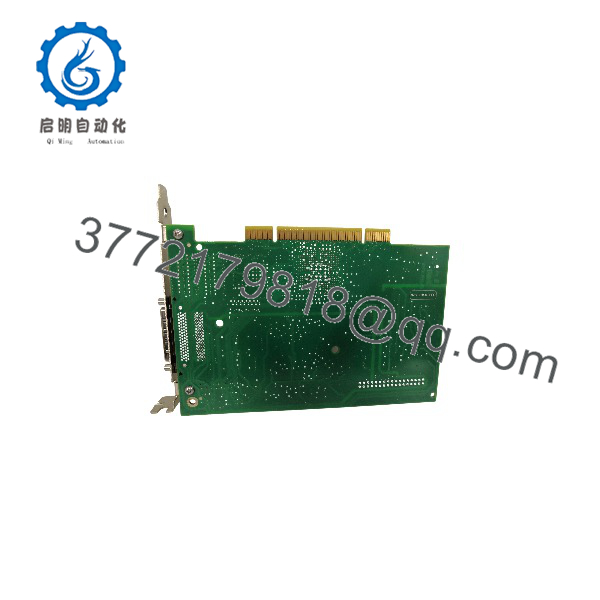
PCI-6221
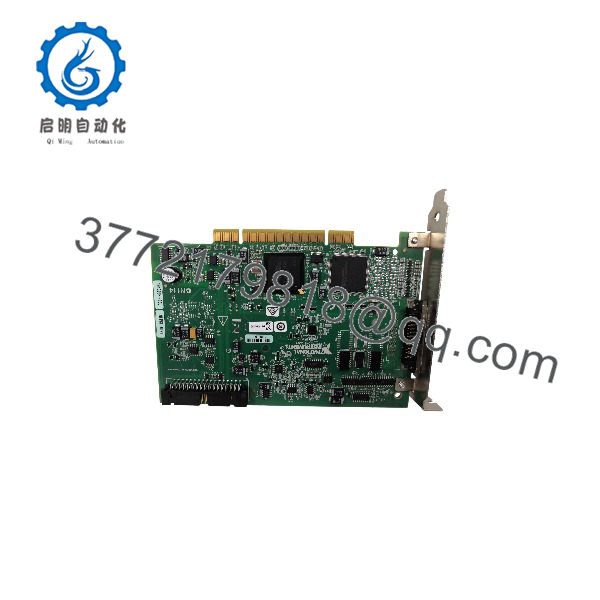
PCI-6221
Firmware/Software Versions & Upgrade Notes
- Recommended Driver: NI-DAQmx version 8.0 or later (compatible up to legacy 32-bit and 64-bit Windows environments).
- Compatibility Warning: Moving to modern 64-bit OS architectures (e.g., Windows 10/11) may require specific driver updates and PCI-to-PCIe conversion considerations. Always confirm host software compatibility before hardware replacement.
- Upgrade Risk: Upgrading NI-DAQmx drivers on a working control rack can introduce API call deprecations that break legacy LabVIEW routines. Keep driver versions consistent during single-card replacements.
Frequently Asked Questions (FAQ)
Are these parts genuinely new, or are they refurbished?
This product is a Brand New Surplus unit. It is not used, not pulled from a decommissioned plant, and not refurbished. All modules undergo strict quality verification to ensure original factory performance.
Why is this priced lower than direct OEM list prices but higher than secondary-market refurbished units?
Our pricing reflects the capital required to source and stock genuine, factory-sealed surplus inventory globally. While slightly more expensive than risky second-hand hardware, it saves tens of thousands in potential downtime costs.
What is the obsolescence status of this module?
The PCI-6221 belongs to the legacy M Series family, which has been phased out by the OEM in favor of PCIe architectures. Holding new buffer stock on-site is an essential strategy for keeping legacy machinery operational.
What are the risks of using a refurbished alternative instead?
Refurbished DAQ cards frequently suffer from worn PCI gold fingers, dried-out filtering capacitors, and intermittent signal noise on analog channels. A single inaccurate reading from a degraded card can compromise test validity or trip an emergency shutdown.
What warranty is provided with this unit?
Every New Surplus PCI-6221 module is backed by our 1-year replacement warranty, delivering full operational reliability and peace of mind.