
 WhatsApp: +86 16626708626
 Email:
  Phone: +86 16626708626
Description
Key Technical Specifications
| Parameter | Value |
|---|---|
| Product type | Advanced touchscreen panel with keyboard |
| Product range | Magelis XBTGK |
| Display technology | Backlit color TFT LCD |
| Display size | 5.7 in |
| Display resolution | 320 × 240 pixels, QVGA |
| Display colors | 65,536 colors |
| Touchscreen | Analog resistive touchscreen |
| Integrated keyboard | Function and navigation keys |
| Processor | RISC CPU, 133 MHz |
| Application memory | 16 MB flash EPROM |
| Backup memory | 512 kB SRAM with lithium battery backup |
| Main serial port | Female SUB-D9, RS-232C/RS-422/RS-485 |
| Main serial speed | Up to 115.2 kbps |
| Secondary serial port | RJ45 RS-485 |
| Secondary serial speed | Up to 187.5 kbps |
| Ethernet port | RJ45, 10BASE-T/100BASE-TX |
| USB port | USB Type-A host, USB 1.1 |
| Optional communication card | One fieldbus card, such as DeviceNet or Profibus DP |
| Rated supply voltage | 24 V DC |
| Supply voltage limits | 19.2–28.8 V DC |
| Maximum power consumption | 26 W |
| Inrush current | 30 A |
| Front protection rating | IP65 |
| Rear protection rating | IP20 |
| Operating temperature | 0 to 55 °C |
| Storage temperature | −20 to +70 °C |
| Relative humidity | 10–90%, non-condensing |
| Panel cutout | 156 (+1/−0) × 123.5 (+1/−0) mm |
| Approximate weight | 1 kg |
Schneider Electric identifies the XBTGK2330 as a Harmony XBTGK advanced touchscreen panel with keyboard, a 5.7-inch QVGA TFT display, and 65,536 colors. Product documentation lists Ethernet TCP/IP, serial communications, USB, 24 V DC power, 16 MB application flash, and 512 kB battery-backed SRAM.
Product Introduction
The Schneider Electric XBTGK2330 is a Magelis XBTGK operator terminal for machine-control and process-visualization applications. It combines a 5.7-inch, 320 × 240 QVGA color TFT touchscreen with an integrated keyboard, Ethernet TCP/IP, serial communication ports, USB host connectivity, and 24 V DC power.
This HMI suits legacy Modicon and third-party PLC installations that require both touchscreen navigation and physical keys. Verify the project software, application backup, communication driver, front-panel condition, and lithium battery status before installing a replacement.
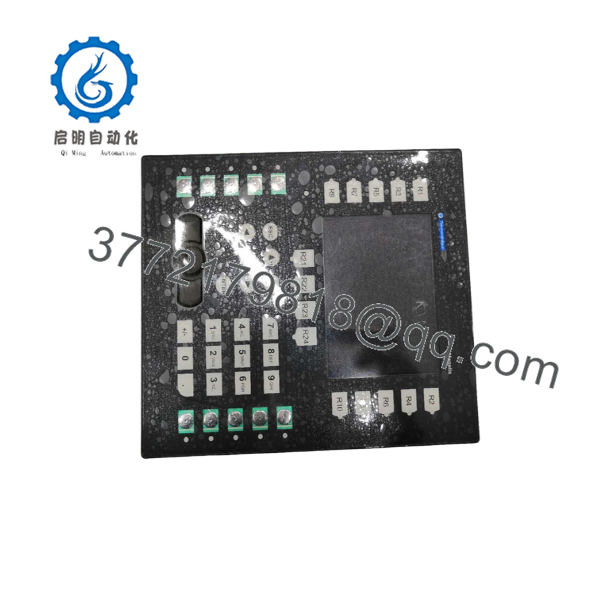
XBTGK2330
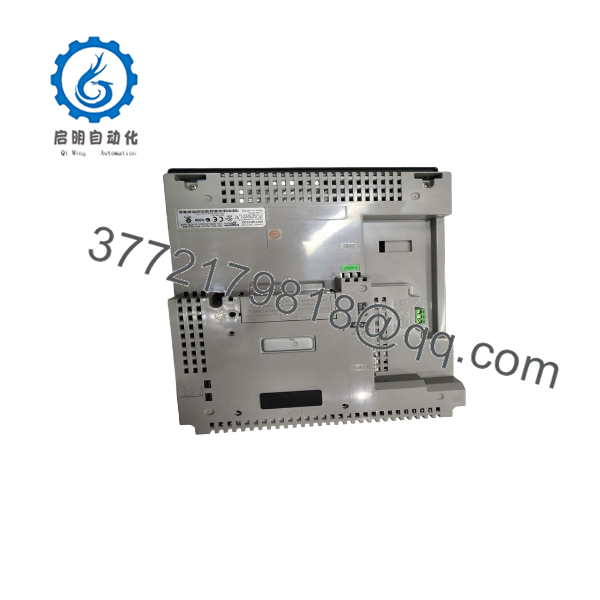
XBTGK2330
Troubleshooting Quick Reference
| Symptom | Possible Cause | Relevance to This Part | Quick Check Method | Recommendation |
|---|---|---|---|---|
| No display or LEDs | Missing 24 V DC, blown fuse, loose terminal, or internal power fault | ✅ High | Measure 19.2–28.8 V DC directly at the HMI power terminals with the unit connected | Check the supply, polarity, fuse, and terminal tightness before replacing the panel |
| Display remains blank after power-up | Backlight, LCD, boot, or internal power-supply failure | ✅ High | Confirm input voltage, observe startup LEDs, and connect to the programming software if possible | Replace the HMI if correct power is present and the unit does not complete its boot sequence |
| Screen powers up but touch does not respond | Damaged resistive touch layer, calibration loss, or surface contamination | ✅ High | Test several screen locations and run the touch-calibration procedure | Replace or repair the touch assembly; do not rely on a keyboard-only workaround for touch-dependent screens |
| Keyboard keys do not register | Worn membrane, damaged key matrix, or connector fault | ✅ High | Test each key in the application or HMI diagnostic screen and inspect the keypad surface | Replace the membrane or complete terminal if multiple keys fail |
| Touch points are offset | Calibration loss, incorrect project settings, or damaged touch panel | ✅ Medium | Run the panel calibration routine and test the four corners and center | Recalibrate first; replace the touch panel if the offset returns |
| HMI shows a communication timeout | Wrong driver, cable fault, PLC stopped, or incorrect port parameters | ❌ Low to medium | Check the selected protocol, baud rate, parity, station address, and cable pinout | Verify the PLC and communication settings before replacing the HMI |
| Ethernet link is absent | Bad cable, switch port, IP conflict, or Ethernet hardware fault | ✅ Medium | Check RJ45 link/activity LEDs, test a known-good cable, and inspect the switch port | Correct network settings and cabling before condemning the terminal |
| Ethernet link is active but PLC data is missing | Incorrect IP address, subnet, driver, or PLC service configuration | ❌ Low to medium | Ping the HMI or PLC from the same subnet and review the HMI communication diagnostics | Correct addressing and driver configuration before replacing hardware |
| Application does not start | Corrupt flash memory, missing project, incompatible runtime, or battery-backed data issue | ✅ Medium | Connect with the approved HMI programming software and check project/runtime status | Restore a verified application backup and confirm software compatibility |
| Historical data or recipes are lost | SRAM battery failure, memory corruption, or project overwrite | ✅ Medium | Check battery status and compare retained data with a known backup | Back up application data before replacement; replace the battery according to the service procedure |
| HMI resets during operation | Voltage drop, undersized power supply, inrush limitation, or internal fault | ✅ Medium | Monitor 24 V DC at the HMI terminals during startup and peak activity | Correct supply wiring and capacity; investigate the panel if voltage remains stable |
| Screen is dim or flickers | Aging backlight, temperature, supply instability, or LCD failure | ✅ High | Measure supply voltage and compare brightness across startup and operating temperature | Replace the display or complete HMI when brightness remains abnormal with stable power |
Critical warning: The XBTGK2330 uses 24 V DC and can draw up to 26 W, with a listed 30 A inrush current. Verify the power supply, cable sizing, fuse, polarity, and grounding before applying power. If the fault remains unclear, contact technical support with photos of the nameplate and screen, LED behavior, power measurements, project/runtime version, and communication diagnostics.
Frequently Asked Questions (FAQ)
What is the XBTGK2330 used for?
The XBTGK2330 is a machine operator interface. It displays process values, alarms, recipes, and control screens while allowing the operator to issue commands through the resistive touchscreen and integrated keyboard.
Which software programs the XBTGK2330?
The Magelis XBTGT/XBTGK family is commonly configured with Schneider Electric HMI programming software such as Vijeo Designer, but the exact runtime and project version must be verified against the terminal firmware. Do not overwrite the existing application until you have confirmed a compatible backup and transfer method.
Does the support Ethernet?
Yes. The unit provides one RJ45 Ethernet TCP/IP port using 10BASE-T/100BASE-TX. Ethernet availability alone does not guarantee compatibility with the PLC; verify the selected driver, IP settings, protocol, and application project.
Can I replace the with an XBTGT2330?
Do not assume it is a direct replacement. The includes an integrated keyboard, while the XBTGT2330 is a different panel configuration. Screen size and resolution may match, but the cutout, keypad behavior, project objects, firmware, communication ports, and mechanical installation must be checked first.
Will replacing the panel erase the HMI program?
The replacement panel will not automatically contain the application from the removed unit. Obtain a verified project backup and confirm the target runtime before downloading it. Also document communication parameters, calibration settings, recipes, alarm history, and any removable storage before removal.
Can I hot-swap the ?
Do not hot-swap it unless the approved Schneider Electric documentation and site procedure explicitly allow live replacement. Disconnect and lock out the 24 V DC supply before removing the terminal, then verify that the PLC and machine are in a safe state.
Why is a surplus cheaper than a factory-supplied unit?
The unit may be New Surplus, Factory Sealed, Used, or Refurbished (tested), and the condition directly affects price. Request front-panel photos, the model and revision label, display and keypad test evidence, battery status, application-memory status, lead time, and written warranty terms. Never treat a refurbished or pulled terminal as factory sealed without traceable packaging.



